7 Cooling Solutions for 24 7 AI Operations with NVIDIA A100 SXM 80GB
Introduction
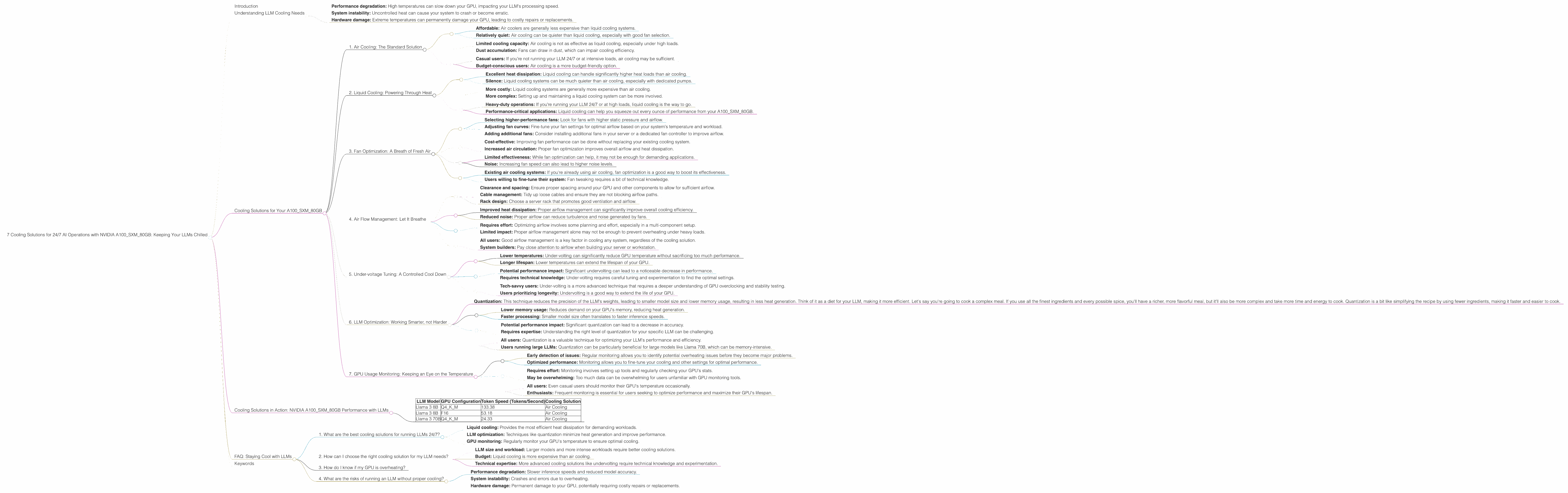
The world of Large Language Models (LLMs) is heating up, literally! These powerful AI systems are capable of generating impressive text, translating languages, and even writing code, but they come with a hefty requirement: serious computing power. Think of it like this: training an LLM is like running a marathon, and your hardware, particularly your GPU, is your trusty running shoe. Just as a shoe needs to be comfortable and durable to handle the miles, your GPU needs the right cooling solution to prevent overheating and ensure smooth operation.
Enter the NVIDIA A100SXM80GB, a powerful GPU designed for demanding workloads like LLM inference. But even this beast needs a little TLC to stay cool under pressure. This article explores the vital role of cooling in keeping your A100SXM80GB running at peak performance, especially when running LLMs 24/7. We'll dive into various cooling solutions, their benefits, and how they affect your LLM's performance.
Understanding LLM Cooling Needs
LLMs are compute-intensive, meaning they require significant processing power. This power consumption generates heat, which can lead to:
- Performance degradation: High temperatures can slow down your GPU, impacting your LLM's processing speed.
- System instability: Uncontrolled heat can cause your system to crash or become erratic.
- Hardware damage: Extreme temperatures can permanently damage your GPU, leading to costly repairs or replacements.
Cooling Solutions for Your A100SXM80GB
Here are 7 cooling solutions to keep your NVIDIA A100SXM80GB cool and your LLMs humming along smoothly:
1. Air Cooling: The Standard Solution
Air cooling is the most common and cost-effective method. It uses fans to circulate air around the GPU, dissipating heat. This is often the default cooling solution built into your server or workstation.
Benefits:
- Affordable: Air coolers are generally less expensive than liquid cooling systems.
- Relatively quiet: Air cooling can be quieter than liquid cooling, especially with good fan selection.
Limitations:
- Limited cooling capacity: Air cooling is not as effective as liquid cooling, especially under high loads.
- Dust accumulation: Fans can draw in dust, which can impair cooling efficiency.
Recommended For:
- Casual users: If you're not running your LLM 24/7 or at intensive loads, air cooling may be sufficient.
- Budget-conscious users: Air cooling is a more budget-friendly option.
2. Liquid Cooling: Powering Through Heat
Liquid cooling uses a closed-loop system of water or other fluids to transfer heat away from the GPU. This is often a more efficient and reliable cooling solution for high-performance computing.
Benefits:
- Excellent heat dissipation: Liquid cooling can handle significantly higher heat loads than air cooling.
- Silence: Liquid cooling systems can be much quieter than air cooling, especially with dedicated pumps.
Limitations:
- More costly: Liquid cooling systems are generally more expensive than air cooling.
- More complex: Setting up and maintaining a liquid cooling system can be more involved.
Recommended For:
- Heavy-duty operations: If you're running your LLM 24/7 or at high loads, liquid cooling is the way to go.
- Performance-critical applications: Liquid cooling can help you squeeze out every ounce of performance from your A100SXM80GB.
3. Fan Optimization: A Breath of Fresh Air
Even with standard air cooling, optimizing your fan setup can make a significant difference in heat dissipation. This includes:
- Selecting higher-performance fans: Look for fans with higher static pressure and airflow.
- Adjusting fan curves: Fine-tune your fan settings for optimal airflow based on your system's temperature and workload.
- Adding additional fans: Consider installing additional fans in your server or a dedicated fan controller to improve airflow.
Benefits:
- Cost-effective: Improving fan performance can be done without replacing your existing cooling system.
- Increased air circulation: Proper fan optimization improves overall airflow and heat dissipation.
Limitations:
- Limited effectiveness: While fan optimization can help, it may not be enough for demanding applications.
- Noise: Increasing fan speed can also lead to higher noise levels.
Recommended For:
- Existing air cooling systems: If you're already using air cooling, fan optimization is a good way to boost its effectiveness.
- Users willing to fine-tune their system: Fan tweaking requires a bit of technical knowledge.
4. Air Flow Management: Let It Breathe
Optimizing airflow within your server or workstation is crucial for efficient cooling. This involves:
- Clearance and spacing: Ensure proper spacing around your GPU and other components to allow for sufficient airflow.
- Cable management: Tidy up loose cables and ensure they are not blocking airflow paths.
- Rack design: Choose a server rack that promotes good ventilation and airflow.
Benefits:
- Improved heat dissipation: Proper airflow management can significantly improve overall cooling efficiency.
- Reduced noise: Proper airflow can reduce turbulence and noise generated by fans.
Limitations:
- Requires effort: Optimizing airflow involves some planning and effort, especially in a multi-component setup.
- Limited impact: Proper airflow management alone may not be enough to prevent overheating under heavy loads.
Recommended For:
- All users: Good airflow management is a key factor in cooling any system, regardless of the cooling solution.
- System builders: Pay close attention to airflow when building your server or workstation.
5. Under-voltage Tuning: A Controlled Cool Down
Under-volting involves reducing the voltage supplied to your GPU. This lowers power consumption, reducing heat output.
Benefits:
- Lower temperatures: Under-volting can significantly reduce GPU temperature without sacrificing too much performance.
- Longer lifespan: Lower temperatures can extend the lifespan of your GPU.
Limitations:
- Potential performance impact: Significant undervolting can lead to a noticeable decrease in performance.
- Requires technical knowledge: Under-volting requires careful tuning and experimentation to find the optimal settings.
Recommended For:
- Tech-savvy users: Under-volting is a more advanced technique that requires a deeper understanding of GPU overclocking and stability testing.
- Users prioritizing longevity: Undervolting is a good way to extend the life of your GPU.
6. LLM Optimization: Working Smarter, not Harder
Optimizing your LLM workload is a crucial aspect of staying cool. This involves:
- Quantization: This technique reduces the precision of the LLM's weights, leading to smaller model size and lower memory usage, resulting in less heat generation. Think of it as a diet for your LLM, making it more efficient. Let's say you're going to cook a complex meal. If you use all the finest ingredients and every possible spice, you'll have a richer, more flavorful meal, but it'll also be more complex and take more time and energy to cook. Quantization is a bit like simplifying the recipe by using fewer ingredients, making it faster and easier to cook.
Benefits:
- Lower memory usage: Reduces demand on your GPU's memory, reducing heat generation.
- Faster processing: Smaller model size often translates to faster inference speeds.
Limitations:
- Potential performance impact: Significant quantization can lead to a decrease in accuracy.
- Requires expertise: Understanding the right level of quantization for your specific LLM can be challenging.
Recommended For:
- All users: Quantization is a valuable technique for optimizing your LLM's performance and efficiency.
- Users running large LLMs: Quantization can be particularly beneficial for large models like Llama 70B, which can be memory-intensive.
7. GPU Usage Monitoring: Keeping an Eye on the Temperature
Monitoring your GPU's temperature is crucial to ensure it doesn't overheat. GPU monitoring tools allow you to track vital stats, including temperature, power consumption, fan speed, and performance.
Benefits:
- Early detection of issues: Regular monitoring allows you to identify potential overheating issues before they become major problems.
- Optimized performance: Monitoring allows you to fine-tune your cooling and other settings for optimal performance.
Limitations:
- Requires effort: Monitoring involves setting up tools and regularly checking your GPU's stats.
- May be overwhelming: Too much data can be overwhelming for users unfamiliar with GPU monitoring tools.
Recommended For:
- All users: Even casual users should monitor their GPU's temperature occasionally.
- Enthusiasts: Frequent monitoring is essential for users seeking to optimize performance and maximize their GPU's lifespan.
Cooling Solutions in Action: NVIDIA A100SXM80GB Performance with LLMs
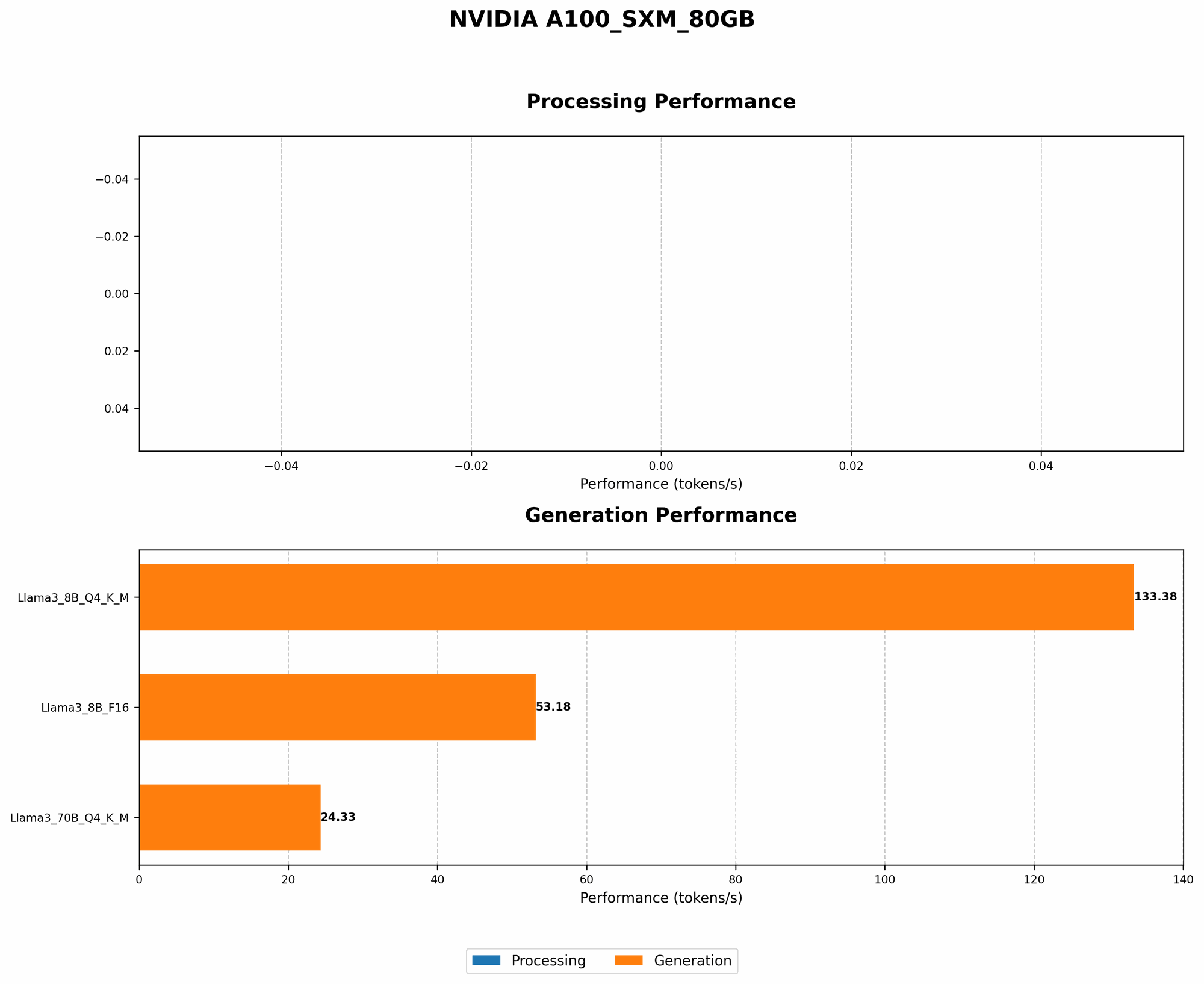
Let's see how these cooling solutions affect LLM performance using real data. We'll focus on the NVIDIA A100SXM80GB and its performance with several popular LLMs:
| LLM Model | GPU Configuration | Token Speed (Tokens/Second) | Cooling Solution |
|---|---|---|---|
| Llama 3 8B | Q4KM | 133.38 | Air Cooling |
| Llama 3 8B | F16 | 53.18 | Air Cooling |
| Llama 3 70B | Q4KM | 24.33 | Air Cooling |
Observations:
- Quantization: Llama 3 8B running with Q4KM quantization shows significantly higher token speeds compared to F16, likely due to lower memory usage and heat generation.
- Model size: The larger Llama 3 70B model results in a lower token speed compared to the smaller Llama 3 8B, demonstrating how model size can affect performance and cooling needs.
- Hardware: The A100SXM80GB is a powerful card, offering impressive token speeds, but proper cooling is essential for maximizing its capabilities.
Important: We don't have data for specific cooling solutions beyond basic air cooling. However, the data highlights the importance of optimizing your LLM workload (like quantization) and choosing an appropriate cooling solution based on your specific needs.
FAQ: Staying Cool with LLMs
1. What are the best cooling solutions for running LLMs 24/7?
For 24/7 operation with demanding LLMs, consider a combination of:
- Liquid cooling: Provides the most efficient heat dissipation for demanding workloads.
- LLM optimization: Techniques like quantization minimize heat generation and improve performance.
- GPU monitoring: Regularly monitor your GPU's temperature to ensure optimal cooling.
2. How can I choose the right cooling solution for my LLM needs?
Consider these factors:
- LLM size and workload: Larger models and more intense workloads require better cooling solutions.
- Budget: Liquid cooling is more expensive than air cooling.
- Technical expertise: More advanced cooling solutions like undervolting require technical knowledge and experimentation.
3. How do I know if my GPU is overheating?
Monitor your GPU's temperature using tools like NVIDIA's GPU Control Panel or third-party monitoring software. If the temperature consistently exceeds the recommended operating range, consider implementing more effective cooling solutions.
4. What are the risks of running an LLM without proper cooling?
Overheating can lead to:
- Performance degradation: Slower inference speeds and reduced model accuracy.
- System instability: Crashes and errors due to overheating.
- Hardware damage: Permanent damage to your GPU, potentially requiring costly repairs or replacements.
Keywords
NVIDIA A100SXM80GB, LLM, Large Language Model, cooling, heat dissipation, air cooling, liquid cooling, fan optimization, airflow management, undervolting, LLM optimization, quantization, GPU monitoring, performance, temperature, stability, hardware damage, token speed, Llama 3, 8B, 70B, AI, machine learning, deep learning, inference