7 Cooling Solutions for 24 7 AI Operations with NVIDIA 3070 8GB
Introduction
The world of large language models (LLMs) is heating up! These powerful AI systems are capable of generating text, translating languages, writing different kinds of creative content, and answering your questions in an informative way. But running these models locally, especially on demanding tasks, can put a strain on your hardware, leading to performance issues and even crashes.
If you're using an NVIDIA 3070 8GB, a popular and powerful GPU, for your LLM operations, you might be facing the challenge of keeping it cool and running smoothly, particularly when running these models 24/7.
This article will guide you through 7 cooling solutions tailored for your NVIDIA 3070 8GB, ensuring your AI engine stays cool and efficient, powering your AI projects without a hitch.
Cooling Solutions for Your NVIDIA 3070 8GB
Let's dive into practical solutions to ensure your 3070 stays cool and your LLMs run smoothly:
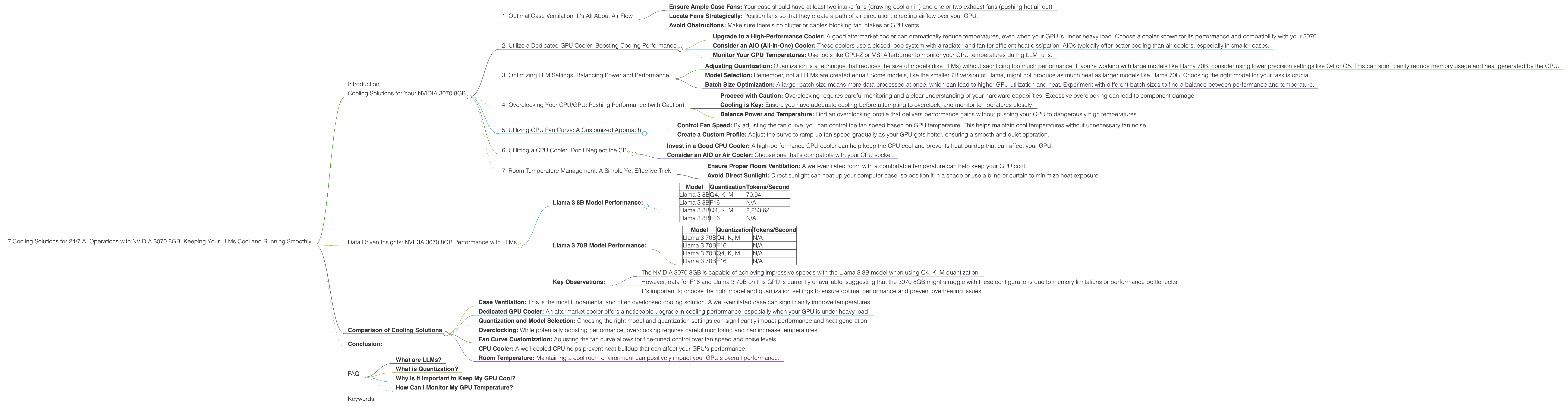
1. Optimal Case Ventilation: It's All About Air Flow
Think of your computer case as a giant air circulation system. The first step to cooling your 3070 is to ensure proper airflow.
- Ensure Ample Case Fans: Your case should have at least two intake fans (drawing cool air in) and one or two exhaust fans (pushing hot air out).
- Locate Fans Strategically: Position fans so that they create a path of air circulation, directing airflow over your GPU.
- Avoid Obstructions: Make sure there's no clutter or cables blocking fan intakes or GPU vents.
2. Utilize a Dedicated GPU Cooler: Boosting Cooling Performance
A dedicated GPU cooler is like a personal air conditioner for your 3070.
- Upgrade to a High-Performance Cooler: A good aftermarket cooler can dramatically reduce temperatures, even when your GPU is under heavy load. Choose a cooler known for its performance and compatibility with your 3070.
- Consider an AIO (All-in-One) Cooler: These coolers use a closed-loop system with a radiator and fan for efficient heat dissipation. AIOs typically offer better cooling than air coolers, especially in smaller cases.
- Monitor Your GPU Temperatures: Use tools like GPU-Z or MSI Afterburner to monitor your GPU temperatures during LLM runs.
3. Optimizing LLM Settings: Balancing Power and Performance
Your LLM settings directly impact how much your GPU works.
- Adjusting Quantization: Quantization is a technique that reduces the size of models (like LLMs) without sacrificing too much performance. If you're working with large models like Llama 70B, consider using lower precision settings like Q4 or Q5. This can significantly reduce memory usage and heat generated by the GPU.
- Model Selection: Remember, not all LLMs are created equal! Some models, like the smaller 7B version of Llama, might not produce as much heat as larger models like Llama 70B. Choosing the right model for your task is crucial.
- Batch Size Optimization: A larger batch size means more data processed at once, which can lead to higher GPU utilization and heat. Experiment with different batch sizes to find a balance between performance and temperature.
4. Overclocking Your CPU/GPU: Pushing Performance (with Caution)
Overclocking your CPU or GPU can increase performance, but also increase heat.
- Proceed with Caution: Overclocking requires careful monitoring and a clear understanding of your hardware capabilities. Excessive overclocking can lead to component damage.
- Cooling is Key: Ensure you have adequate cooling before attempting to overclock, and monitor temperatures closely.
- Balance Power and Temperature: Find an overclocking profile that delivers performance gains without pushing your GPU to dangerously high temperatures.
5. Utilizing GPU Fan Curve: A Customized Approach
Most GPUs allow you to customize their fan curves.
- Control Fan Speed: By adjusting the fan curve, you can control the fan speed based on GPU temperature. This helps maintain cool temperatures without unnecessary fan noise.
- Create a Custom Profile: Adjust the curve to ramp up fan speed gradually as your GPU gets hotter, ensuring a smooth and quiet operation.
6. Utilizing a CPU Cooler: Don't Neglect the CPU
While your GPU takes center stage for LLMs, your CPU still plays a role!
- Invest in a Good CPU Cooler: A high-performance CPU cooler can help keep the CPU cool and prevents heat buildup that can affect your GPU.
- Consider an AIO or Air Cooler: Choose one that's compatible with your CPU socket.
7. Room Temperature Management: A Simple Yet Effective Trick
Your room temperature can impact your GPU's performance.
- Ensure Proper Room Ventilation: A well-ventilated room with a comfortable temperature can help keep your GPU cool.
- Avoid Direct Sunlight: Direct sunlight can heat up your computer case, so position it in a shade or use a blind or curtain to minimize heat exposure.
Data Driven Insights: NVIDIA 3070 8GB Performance with LLMs
Let's analyze the performance of the NVIDIA 3070 8GB with specific LLM models:
Llama 3 8B Model Performance:
| Model | Quantization | Tokens/Second |
|---|---|---|
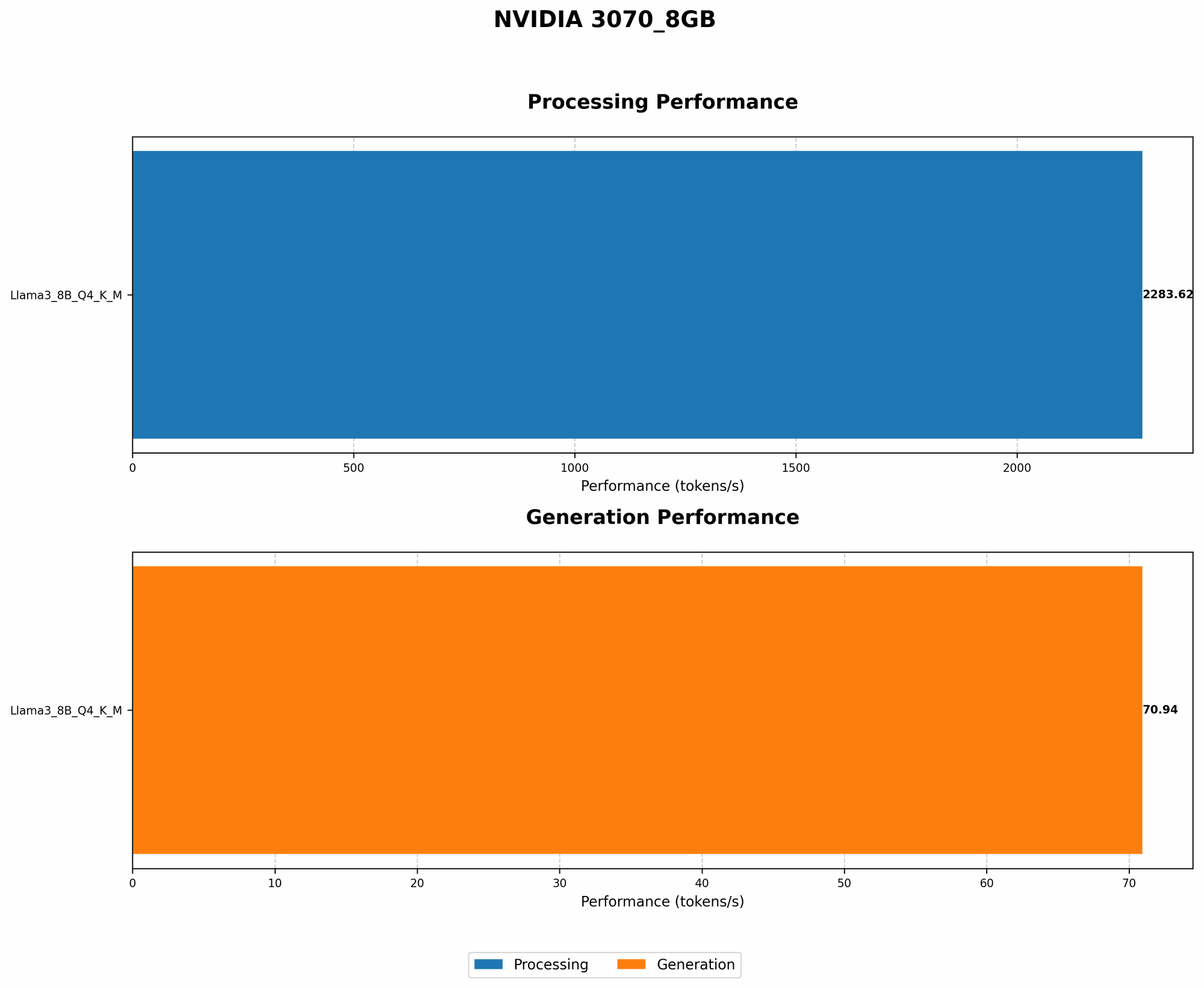
| Llama 3 8B | Q4, K, M | 70.94 |
| Llama 3 8B | F16 | N/A |
| Llama 3 8B | Q4, K, M | 2,283.62 |
| Llama 3 8B | F16 | N/A |
- Note: Data for F16 (half-precision floating point) quantization on the 3070 8GB is not available at this time.
Llama 3 70B Model Performance:
| Model | Quantization | Tokens/Second |
|---|---|---|
| Llama 3 70B | Q4, K, M | N/A |
| Llama 3 70B | F16 | N/A |
| Llama 3 70B | Q4, K, M | N/A |
| Llama 3 70B | F16 | N/A |
- Note: No data is available for Llama 3 70B performance on the 3070 8GB. This suggests that the 3070 8GB might not have enough memory or processing power to handle the larger Llama 3 70B model effectively.
Key Observations:
- The NVIDIA 3070 8GB is capable of achieving impressive speeds with the Llama 3 8B model when using Q4, K, M quantization.
- However, data for F16 and Llama 3 70B on this GPU is currently unavailable, suggesting that the 3070 8GB might struggle with these configurations due to memory limitations or performance bottlenecks.
- It's important to choose the right model and quantization settings to ensure optimal performance and prevent overheating issues.
Comparison of Cooling Solutions
The effectiveness of different cooling solutions can vary depending on your specific setup and usage patterns.
- Case Ventilation: This is the most fundamental and often overlooked cooling solution. A well-ventilated case can significantly improve temperatures.
- Dedicated GPU Cooler: An aftermarket cooler offers a noticeable upgrade in cooling performance, especially when your GPU is under heavy load.
- Quantization and Model Selection: Choosing the right model and quantization settings can significantly impact performance and heat generation.
- Overclocking: While potentially boosting performance, overclocking requires careful monitoring and can increase temperatures.
- Fan Curve Customization: Adjusting the fan curve allows for fine-tuned control over fan speed and noise levels.
- CPU Cooler: A well-cooled CPU helps prevent heat buildup that can affect your GPU's performance.
- Room Temperature: Maintaining a cool room environment can positively impact your GPU's overall performance.
Conclusion:
Keeping your NVIDIA 3070 8GB cool is crucial for running LLMs effectively. The 3070 offers considerable power for training and inferencing with models like Llama 3 8B. By employing these cooling solutions, you equip yourself to optimize performance and ensure a smooth and reliable experience for your 24/7 AI operations. Remember, a cool and efficient 3070 is a happy 3070!
FAQ
What are LLMs?
LLMs are powerful AI systems that can understand and generate human-like text. They are trained on massive amounts of data and can perform various tasks like translation, text summarization, and creative writing.
What is Quantization?
Quantization is a technique used to reduce the size and complexity of machine learning models, including LLMs. It does this by representing model parameters with fewer bits, which in turn can result in faster performance and lower memory usage.
Why is it Important to Keep My GPU Cool?
Excessive GPU heat can lead to reduced performance, instability, and even hardware damage. Maintaining a cool operating temperature ensures your GPU runs optimally and has a longer lifespan.
How Can I Monitor My GPU Temperature?
You can use monitoring tools like GPU-Z or MSI Afterburner to track your GPU’s temperature in real-time.
Keywords
GPU cooling, NVIDIA 3070 8GB, LLM, AI, Llama 3, Quantization, Token Speed, Performance Optimization, Overclocking, Fan Curve, Room Temperature, GPU temperature, case ventilation, dedicated cooler, 7B, 70B, AI operations, 24/7, AI engine, heat dissipation, GPU utilization, thermal throttling, AI projects, AI development, hardware optimization, AI tools, data science, machine learning.