6 Tricks to Avoid Out of Memory Errors on NVIDIA RTX A6000 48GB
Introduction
Running large language models (LLMs) locally can be a thrilling adventure for developers and enthusiasts. Imagine the power of having a language model, like ChatGPT, right on your computer, ready to answer your questions and generate creative content at lightning speed.
But this exciting journey often bumps into a common roadblock: out-of-memory errors. These errors occur when your GPU, the powerful graphics card that fuels LLMs, runs out of memory. This can be frustrating, especially when you're working with massive models like Llama 3 70B, which is like trying to fit a whole library into a small suitcase!
This guide focuses on the NVIDIA RTX A6000 48GB, a popular choice for LLM enthusiasts. We'll explore six key techniques to avoid those pesky out-of-memory errors and get your LLM running smoothly.
Understanding the Memory Game
Let's break down the memory situation:
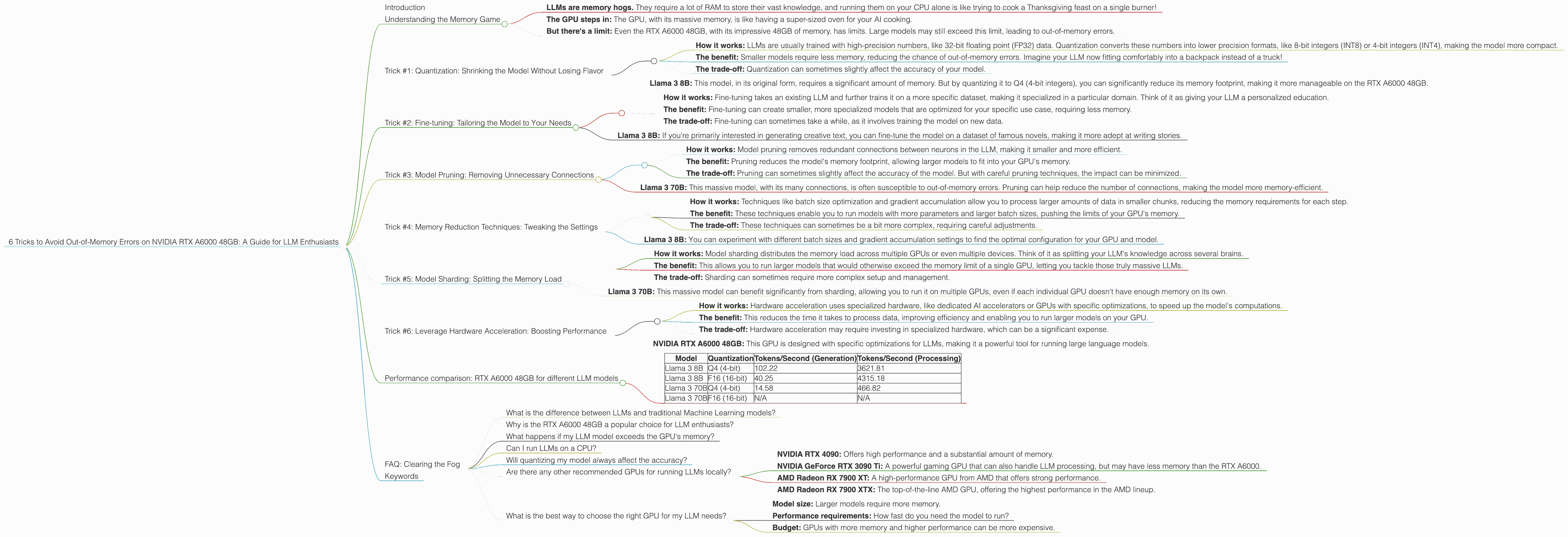
- LLMs are memory hogs. They require a lot of RAM to store their vast knowledge, and running them on your CPU alone is like trying to cook a Thanksgiving feast on a single burner!
- The GPU steps in: The GPU, with its massive memory, is like having a super-sized oven for your AI cooking.
- But there's a limit: Even the RTX A6000 48GB, with its impressive 48GB of memory, has limits. Large models may still exceed this limit, leading to out-of-memory errors.
Trick #1: Quantization: Shrinking the Model Without Losing Flavor

Think of quantization like a diet for your LLM. It's about making your model smaller without sacrificing too much performance.
- How it works: LLMs are usually trained with high-precision numbers, like 32-bit floating point (FP32) data. Quantization converts these numbers into lower precision formats, like 8-bit integers (INT8) or 4-bit integers (INT4), making the model more compact.
- The benefit: Smaller models require less memory, reducing the chance of out-of-memory errors. Imagine your LLM now fitting comfortably into a backpack instead of a truck!
- The trade-off: Quantization can sometimes slightly affect the accuracy of your model.
For example:
- Llama 3 8B: This model, in its original form, requires a significant amount of memory. But by quantizing it to Q4 (4-bit integers), you can significantly reduce its memory footprint, making it more manageable on the RTX A6000 48GB.
Trick #2: Fine-tuning: Tailoring the Model to Your Needs
Imagine teaching your LLM a new trick, like a specific topic or language. This is what fine-tuning does.
- How it works: Fine-tuning takes an existing LLM and further trains it on a more specific dataset, making it specialized in a particular domain. Think of it as giving your LLM a personalized education.
- The benefit: Fine-tuning can create smaller, more specialized models that are optimized for your specific use case, requiring less memory.
- The trade-off: Fine-tuning can sometimes take a while, as it involves training the model on new data.
For example:
- Llama 3 8B: If you're primarily interested in generating creative text, you can fine-tune the model on a dataset of famous novels, making it more adept at writing stories.
Trick #3: Model Pruning: Removing Unnecessary Connections
Imagine taking a chainsaw to your LLM, removing unnecessary branches while keeping the main structure intact. That's model pruning in a nutshell.
- How it works: Model pruning removes redundant connections between neurons in the LLM, making it smaller and more efficient.
- The benefit: Pruning reduces the model's memory footprint, allowing larger models to fit into your GPU's memory.
- The trade-off: Pruning can sometimes slightly affect the accuracy of the model. But with careful pruning techniques, the impact can be minimized.
For example:
- Llama 3 70B: This massive model, with its many connections, is often susceptible to out-of-memory errors. Pruning can help reduce the number of connections, making the model more memory-efficient.
Trick #4: Memory Reduction Techniques: Tweaking the Settings
Imagine you want to pack a suitcase for a trip. You carefully choose your clothes, making sure to pack lighter items for the essentials and heavier items for those rare moments where you need them. That's what memory reduction techniques do for your LLM.
- How it works: Techniques like batch size optimization and gradient accumulation allow you to process larger amounts of data in smaller chunks, reducing the memory requirements for each step.
- The benefit: These techniques enable you to run models with more parameters and larger batch sizes, pushing the limits of your GPU's memory.
- The trade-off: These techniques can sometimes be a bit more complex, requiring careful adjustments.
For example:
- Llama 3 8B: You can experiment with different batch sizes and gradient accumulation settings to find the optimal configuration for your GPU and model.
Trick #5: Model Sharding: Splitting the Memory Load
Imagine having a team of workers instead of a single one. That's what model sharding does for your GPU.
- How it works: Model sharding distributes the memory load across multiple GPUs or even multiple devices. Think of it as splitting your LLM's knowledge across several brains.
- The benefit: This allows you to run larger models that would otherwise exceed the memory limit of a single GPU, letting you tackle those truly massive LLMs.
- The trade-off: Sharding can sometimes require more complex setup and management.
For example:
- Llama 3 70B: This massive model can benefit significantly from sharding, allowing you to run it on multiple GPUs, even if each individual GPU doesn't have enough memory on its own.
Trick #6: Leverage Hardware Acceleration: Boosting Performance
Imagine having a high-powered rocket engine to propel your LLM forward. That's what hardware acceleration does.
- How it works: Hardware acceleration uses specialized hardware, like dedicated AI accelerators or GPUs with specific optimizations, to speed up the model's computations.
- The benefit: This reduces the time it takes to process data, improving efficiency and enabling you to run larger models on your GPU.
- The trade-off: Hardware acceleration may require investing in specialized hardware, which can be a significant expense.
For example:
- NVIDIA RTX A6000 48GB: This GPU is designed with specific optimizations for LLMs, making it a powerful tool for running large language models.
Performance comparison: RTX A6000 48GB for different LLM models
| Model | Quantization | Tokens/Second (Generation) | Tokens/Second (Processing) |
|---|---|---|---|
| Llama 3 8B | Q4 (4-bit) | 102.22 | 3621.81 |
| Llama 3 8B | F16 (16-bit) | 40.25 | 4315.18 |
| Llama 3 70B | Q4 (4-bit) | 14.58 | 466.82 |
| Llama 3 70B | F16 (16-bit) | N/A | N/A |
Key Observations from the Table:
- Quantization matters: The Q4 (4-bit) quantized version of Llama 3 8B generates tokens significantly faster than the F16 (16-bit) version. This is because the smaller model size allows for more efficient processing.
- Model size matters: The 70B model, even in its Q4 quantized form, performs significantly slower than the 8B model in both generation and processing. This highlights the impact of model size on performance.
- Processing is faster: Processing the tokens of the Llama 3 models is significantly faster than generating them. This is because processing involves performing simple operations on the existing tokens, while generation requires more complex computations.
Important Note: Performance can vary depending on specific hardware configurations, software versions, and other factors.
FAQ: Clearing the Fog
What is the difference between LLMs and traditional Machine Learning models?
Large Language Models (LLMs) are a type of AI model specifically designed to understand and generate human-like text. They are trained on massive datasets of text and code, enabling them to perform tasks like translation, summarization, and even writing creative content. Traditional Machine Learning models, on the other hand, are more focused on specific tasks, like predicting outcomes based on numerical data.
Why is the RTX A6000 48GB a popular choice for LLM enthusiasts?
The RTX A6000 48GB is a powerful graphics card with large memory capacity and specialized architecture optimized for artificial intelligence tasks, making it particularly well-suited for running LLMs locally. It's like having a high-performance engine for your AI endeavors.
What happens if my LLM model exceeds the GPU's memory?
If your LLM model exceeds the memory capacity of your GPU, you will encounter an "out-of-memory" error. This means your GPU cannot store all the model's data, and the model will not function properly.
Can I run LLMs on a CPU?
Yes, it's technically possible to run LLMs on a CPU, but it will be significantly slower and require more computational power. The GPU is generally the preferred choice for running LLMs due to its specialized hardware and parallel processing capabilities.
Will quantizing my model always affect the accuracy?
Quantization can sometimes slightly affect the accuracy of your model, but the impact is often minimal. The level of accuracy loss depends on the specific model, the quantization method, and the dataset. Some models may even see a slight improvement in accuracy after quantization.
Are there any other recommended GPUs for running LLMs locally?
Yes, there are several other GPUs that are well-suited for running LLMs locally, such as:
- NVIDIA RTX 4090: Offers high performance and a substantial amount of memory.
- NVIDIA GeForce RTX 3090 Ti: A powerful gaming GPU that can also handle LLM processing, but may have less memory than the RTX A6000.
- AMD Radeon RX 7900 XT: A high-performance GPU from AMD that offers strong performance.
- AMD Radeon RX 7900 XTX: The top-of-the-line AMD GPU, offering the highest performance in the AMD lineup.
What is the best way to choose the right GPU for my LLM needs?
The best GPU for your needs will depend on factors such as:
- Model size: Larger models require more memory.
- Performance requirements: How fast do you need the model to run?
- Budget: GPUs with more memory and higher performance can be more expensive.
Keywords
Large Language Models, LLM, NVIDIA RTX A6000 48GB, out-of-memory error, quantization, fine-tuning, model pruning, memory reduction techniques, model sharding, hardware acceleration, GPU, AI, deep learning, machine learning, natural language processing, NLP, performance comparison, token generation, token processing, memory management, AI enthusiast, developer, geek, data science, technical guide,