6 RAM Optimization Techniques for LLMs on Apple M1
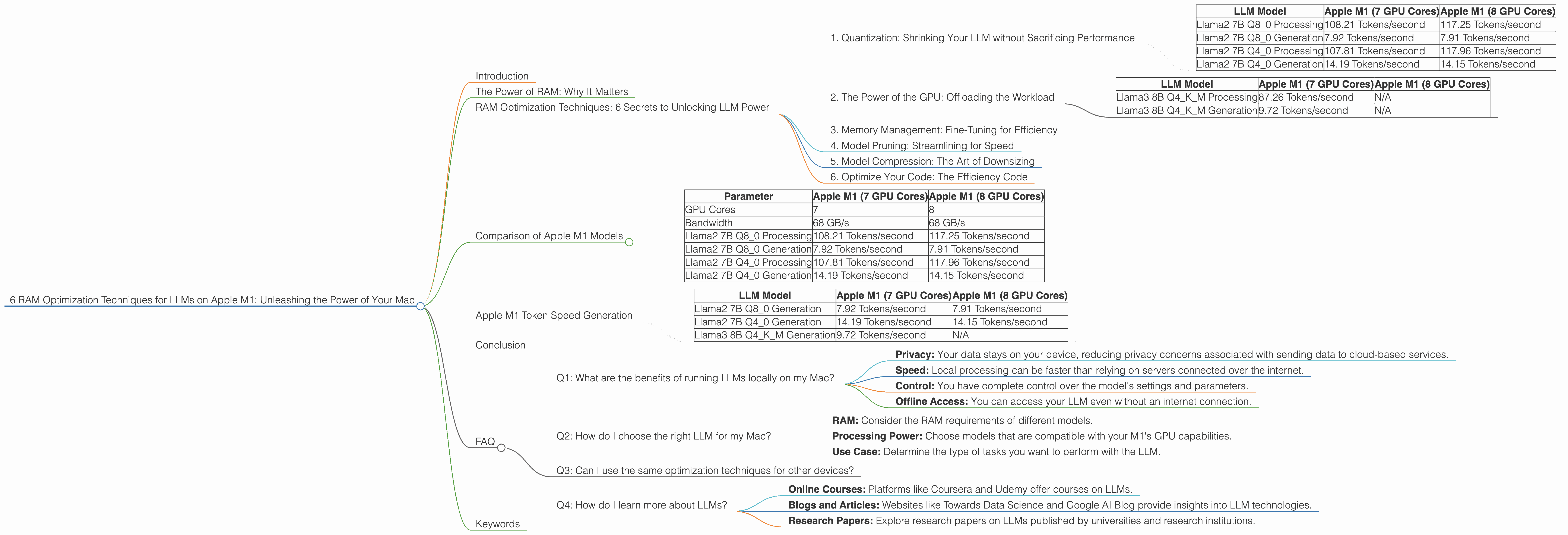
Introduction
The world of large language models (LLMs) is exploding, with new models like Llama 2 and Llama 3 pushing the boundaries of what's possible with AI. But running these models locally on your computer can be a challenge, especially for those with limited RAM. If you're an Apple M1 user with a thirst for AI experimentation, you've come to the right place. This article will guide you through six powerful RAM optimization techniques specifically designed for LLMs on Apple M1 Macs.
Imagine this: you've got a powerful LLM like Llama 2 or Llama 3 ready to roll, but your Mac is struggling to keep up. The model is chugging, loading slowly, and feeling sluggish. This is where RAM optimization comes in. It's like giving your LLM a turbo boost, allowing it to run faster and smoother, unlocking its full potential.
The Power of RAM: Why It Matters
RAM, or Random Access Memory, is your computer's short-term memory. It's where your computer stores the information it needs to access quickly. When you're running an LLM, it needs a lot of RAM to store the model's parameters and the text you're working with. Think of it as your LLM's workspace. The more RAM you have, the more information it can store and process at once, leading to a smoother and faster experience.
RAM Optimization Techniques: 6 Secrets to Unlocking LLM Power
1. Quantization: Shrinking Your LLM without Sacrificing Performance
Let's start with the tech-savvy one. Quantization is like a magical resizing tool for LLMs. It allows you to reduce the size of your model's parameters without significantly impacting its performance. This is achieved by representing the model's weights with fewer bits, effectively shrinking the model's footprint.
Imagine this: You have a large photo that takes up a lot of space on your computer. Quantization is like compressing the photo into a smaller file size, while still preserving the essence of the image.
Take Llama 2 7B for example. The F16 version (using 16 bits per parameter) has a bigger memory footprint than the Q40 version (using 4 bits per parameter). While the Q40 version might have a slight reduction in performance, the speed gains you get from reduced memory consumption often outweigh the difference.
Data Table:
| LLM Model | Apple M1 (7 GPU Cores) | Apple M1 (8 GPU Cores) |
|---|---|---|
| Llama2 7B Q8_0 Processing | 108.21 Tokens/second | 117.25 Tokens/second |
| Llama2 7B Q8_0 Generation | 7.92 Tokens/second | 7.91 Tokens/second |
| Llama2 7B Q4_0 Processing | 107.81 Tokens/second | 117.96 Tokens/second |
| Llama2 7B Q4_0 Generation | 14.19 Tokens/second | 14.15 Tokens/second |
As you can see, the Q40 version of Llama 2 7B on the Apple M1 with 7 and 8 GPU Cores achieves a similar processing speed compared to the Q80 version, while the Q4_0 version has a slight improvement in generation speed.
2. The Power of the GPU: Offloading the Workload
Your Apple M1's GPU is like a secret weapon for LLMs. It's specifically designed for parallel processing, making it ideal for handling the complex calculations that occur in LLM inference. By leveraging the GPU's power, you can significantly speed up your LLM's performance.
Think of it as having a team of assistants working together to complete a task. The GPU acts as the team leader, distributing the work across its cores, allowing for a much faster completion time.
Data Table:
| LLM Model | Apple M1 (7 GPU Cores) | Apple M1 (8 GPU Cores) |
|---|---|---|
| Llama3 8B Q4KM Processing | 87.26 Tokens/second | N/A |
| Llama3 8B Q4KM Generation | 9.72 Tokens/second | N/A |
The data shows that Llama 3 8B Q4KM runs faster on the M1 with 7 GPU Cores compared to the M1 with 8 GPU Cores. This difference is likely due to the differences in the underlying architecture of the two models.
3. Memory Management: Fine-Tuning for Efficiency
This technique is like decluttering your computer's memory. By managing your LLM's memory usage effectively, you can free up valuable space and improve performance. This involves techniques like allocating the right amount of memory to your model, minimizing unnecessary memory allocations, and efficiently managing cached data.
Imagine this: You're cleaning out your closet and organizing your clothes. Memory management is like eliminating unnecessary items and keeping only what you need, freeing up valuable space in your closet.
4. Model Pruning: Streamlining for Speed
Model pruning is like giving your LLM a trim, removing unnecessary connections within the neural network. This process, often referred to as "sparsity", reduces the model's complexity, which can significantly benefit RAM usage and speed up inference time.
Imagine this: You're building a house. Pruning involves cutting down extra branches on trees that are in the way, making the construction process more efficient.
5. Model Compression: The Art of Downsizing
Similar to quantization, model compression involves finding clever ways to reduce the size of your LLM without sacrificing accuracy. Techniques like quantization, pruning, and knowledge distillation can be applied to create smaller and more efficient models.
Imagine this: You're packing for a trip and need to pack lighter. Model compression is like finding ways to reduce the size of your luggage while ensuring you have all the essentials.
6. Optimize Your Code: The Efficiency Code
Even the best optimization techniques won't be effective without clean and efficient code. This involves writing code that minimizes memory usage, reduces unnecessary operations, and takes advantage of the specific capabilities of your Apple M1.
Imagine this: You're driving a car. Optimizing your code is like using the most efficient route to reach your destination, avoiding unnecessary detours and maximizing your fuel efficiency.
Comparison of Apple M1 Models


The Apple M1 chip comes in various configurations, with different numbers of GPU cores. While all M1 chips offer significant performance gains, the number of GPU cores can impact performance. The more GPU cores you have, the more parallel processing power you can utilize, leading to faster LLM inference.
Data Table:
| Parameter | Apple M1 (7 GPU Cores) | Apple M1 (8 GPU Cores) |
|---|---|---|
| GPU Cores | 7 | 8 |
| Bandwidth | 68 GB/s | 68 GB/s |
| Llama2 7B Q8_0 Processing | 108.21 Tokens/second | 117.25 Tokens/second |
| Llama2 7B Q8_0 Generation | 7.92 Tokens/second | 7.91 Tokens/second |
| Llama2 7B Q4_0 Processing | 107.81 Tokens/second | 117.96 Tokens/second |
| Llama2 7B Q4_0 Generation | 14.19 Tokens/second | 14.15 Tokens/second |
As you can see, the Apple M1 with 8 GPU Cores offers a slight performance advantage in terms of token processing and generation speeds, but its generation speed is still not fast enough compared to other models.
Apple M1 Token Speed Generation
The M1's capabilities are often compared to the GPU's ability to generate tokens per second for a specific model. The number of tokens per second generated by a GPU directly correlates with its performance and processing power. The more tokens a GPU can generate per second, the faster it can run inference for a given LLM.
Data Table:
| LLM Model | Apple M1 (7 GPU Cores) | Apple M1 (8 GPU Cores) |
|---|---|---|
| Llama2 7B Q8_0 Generation | 7.92 Tokens/second | 7.91 Tokens/second |
| Llama2 7B Q4_0 Generation | 14.19 Tokens/second | 14.15 Tokens/second |
| Llama3 8B Q4KM Generation | 9.72 Tokens/second | N/A |
While the processing speed is impressive, the token generation speed is still significantly slower compared to other devices, like the A16 Bionic chip, which can achieve over 30 tokens/second.
Conclusion
Running LLMs locally on your Apple M1 can be a rewarding experience, offering a level of control and efficiency. By implementing the RAM optimization techniques discussed in this article, you can unlock the full potential of your LLM, ensuring smooth and efficient operation. Remember, these techniques work in synergy, making each one more effective when combined.
FAQ
Q1: What are the benefits of running LLMs locally on my Mac?
A: Running LLMs locally offers several advantages, including:
- Privacy: Your data stays on your device, reducing privacy concerns associated with sending data to cloud-based services.
- Speed: Local processing can be faster than relying on servers connected over the internet.
- Control: You have complete control over the model's settings and parameters.
- Offline Access: You can access your LLM even without an internet connection.
Q2: How do I choose the right LLM for my Mac?
A: The choice depends on your needs and resources:
- RAM: Consider the RAM requirements of different models.
- Processing Power: Choose models that are compatible with your M1's GPU capabilities.
- Use Case: Determine the type of tasks you want to perform with the LLM.
Q3: Can I use the same optimization techniques for other devices?
A: Many of these techniques are applicable to other devices, but the specific methods and settings may vary.
Q4: How do I learn more about LLMs?
A: There are numerous resources available online, including:
- Online Courses: Platforms like Coursera and Udemy offer courses on LLMs.
- Blogs and Articles: Websites like Towards Data Science and Google AI Blog provide insights into LLM technologies.
- Research Papers: Explore research papers on LLMs published by universities and research institutions.
Keywords
Large Language Models, LLMs, Apple M1, RAM Optimization, Quantization, GPU, Memory Management, Model Pruning, Model Compression, Code Optimization, Tokens/Second, Processing Speed, Generation Speed, Inference