6 Power Saving Tips for 24 7 AI Operations on NVIDIA 4070 Ti 12GB
Introduction
Running large language models (LLMs) on your own hardware can be a powerful way to unlock the potential of AI without relying on cloud services. But like any hungry beast, LLMs require a lot of power to run, especially if you're keeping them humming 24/7. For those of you using NVIDIA 4070 Ti 12GB, this article will provide six practical tips to maximize your AI's performance while minimizing your energy bill.
Imagine your LLM as a high-performing athlete. It needs the right fuel (data), training (optimization), and recovery (power-saving) to perform at its peak. Let's explore how to keep your NVIDIA 4070 Ti 12GB fueled and ready for action with these energy-saving strategies.
Tip 1: Embrace Quantization for Smaller Models
Think of quantizing an LLM like using a smaller but higher-quality camera to capture the same scene. You get almost the same quality but with a much smaller file size. Quantization compresses the model, reducing memory usage and power consumption.
Let's break down the numbers for the Llama 3 8B model. This model is a popular choice for its good performance at a relatively small size, making it ideal for experimenting with.
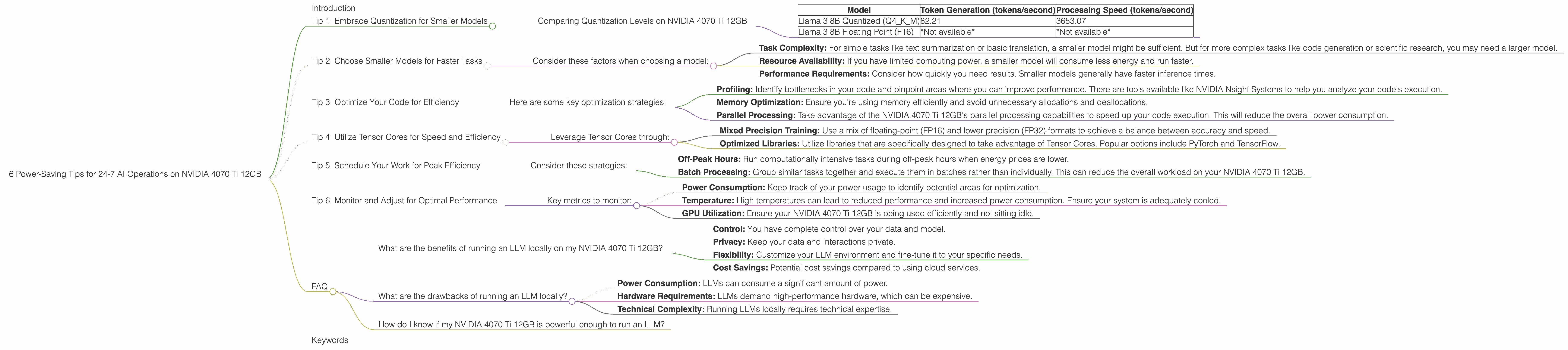
Comparing Quantization Levels on NVIDIA 4070 Ti 12GB
| Model | Token Generation (tokens/second) | Processing Speed (tokens/second) |
|---|---|---|
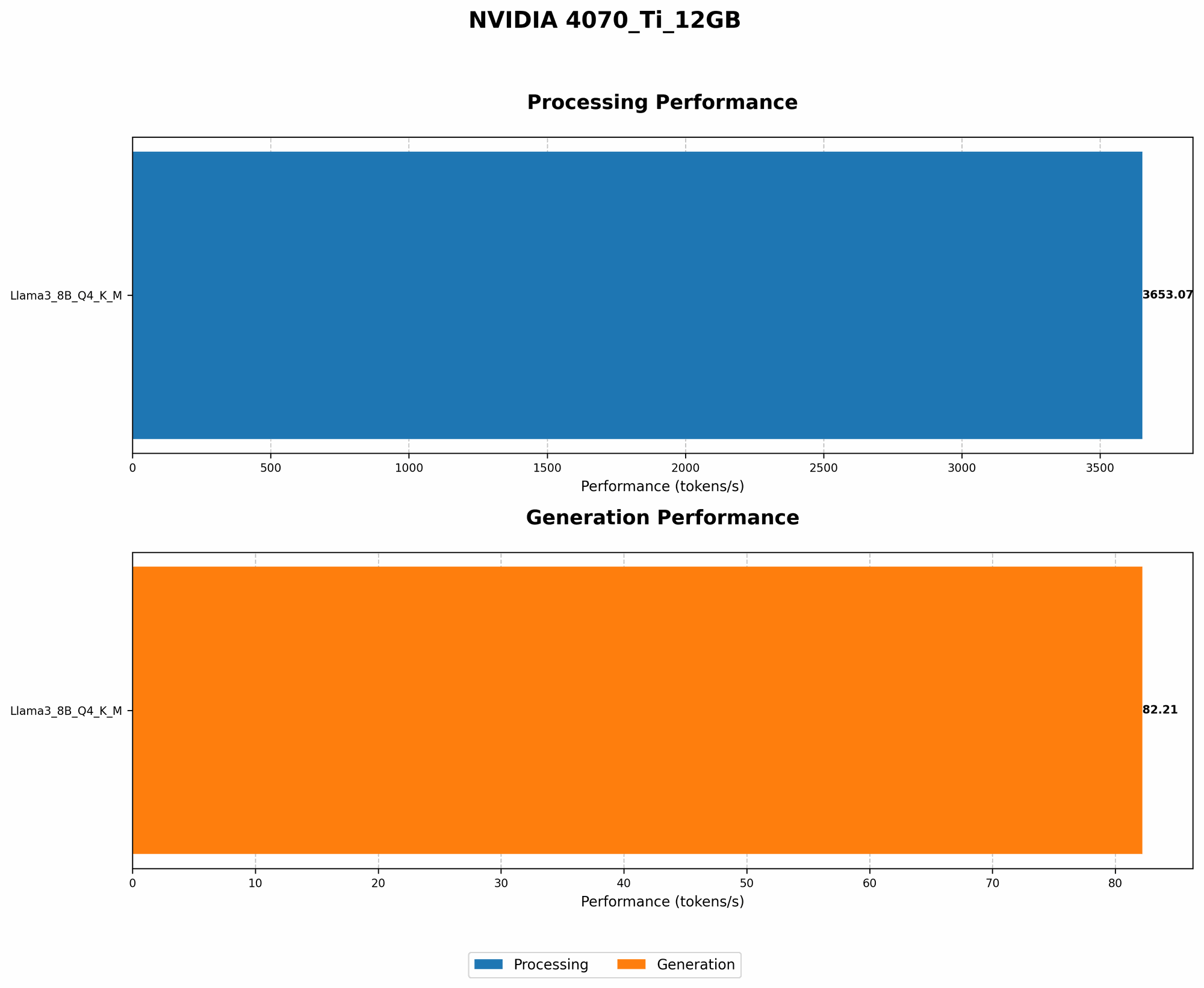
| Llama 3 8B Quantized (Q4KM) | 82.21 | 3653.07 |
| Llama 3 8B Floating Point (F16) | *Not available* | *Not available* |
This comparison highlights the benefits of quantization:
- Lower Power Consumption: By using a smaller model, you significantly reduce the computational resources required, resulting in less electricity usage.
- Faster Inference: With Q4KM quantization, the Llama 3 8B model processes tokens at an impressive 3653.07 tokens per second on the NVIDIA 4070 Ti 12GB.
- Improved Performance: Even though the model is compressed, you still get excellent performance, as evidenced by the high token generation rate.
It's important to note that we do not have performance data for the F16 (floating-point) version of the Llama 3 8B model on this device. However, the Q4KM quantization offers a compelling advantage, especially with its faster processing speeds.
Tip 2: Choose Smaller Models for Faster Tasks
Just like a small car is more efficient than a truck for daily errands, smaller LLMs are better suited for specific tasks. Think about what you want your model to do and select a model that matches that purpose.
Consider these factors when choosing a model:
- Task Complexity: For simple tasks like text summarization or basic translation, a smaller model might be sufficient. But for more complex tasks like code generation or scientific research, you may need a larger model.
- Resource Availability: If you have limited computing power, a smaller model will consume less energy and run faster.
- Performance Requirements: Consider how quickly you need results. Smaller models generally have faster inference times.
The Llama 3 8B model is a great example of an LLM that can achieve decent performance for various tasks while remaining compact. The NVIDIA 4070 Ti 12GB can effectively handle this model. You can experiment with even smaller models like the 7B or 4B versions to see what works best for you.
Tip 3: Optimize Your Code for Efficiency
Imagine you're walking to the store. You can take a direct route or a convoluted one with unnecessary detours. Similarly, your code can be written in a way that maximizes efficiency or causes unnecessary resource consumption.
Here are some key optimization strategies:
- Profiling: Identify bottlenecks in your code and pinpoint areas where you can improve performance. There are tools available like NVIDIA Nsight Systems to help you analyze your code's execution.
- Memory Optimization: Ensure you're using memory efficiently and avoid unnecessary allocations and deallocations.
- Parallel Processing: Take advantage of the NVIDIA 4070 Ti 12GB's parallel processing capabilities to speed up your code execution. This will reduce the overall power consumption.
Remember, clean code is crucial. Optimize your code, and your LLM will run faster with minimal energy expenditure.
Tip 4: Utilize Tensor Cores for Speed and Efficiency
Think of Tensor Cores as specialized processors within your NVIDIA 4070 Ti 12GB designed to accelerate matrix math, the language of deep learning. By harnessing Tensor Cores, you can unlock immense power saving potential.
Leverage Tensor Cores through:
- Mixed Precision Training: Use a mix of floating-point (FP16) and lower precision (FP32) formats to achieve a balance between accuracy and speed.
- Optimized Libraries: Utilize libraries that are specifically designed to take advantage of Tensor Cores. Popular options include PyTorch and TensorFlow.
Tensor Core optimization is a key factor in achieving power efficiency without sacrificing performance. It's like having a turbocharger for your LLM, allowing it to run faster and more efficiently.
Tip 5: Schedule Your Work for Peak Efficiency
Imagine you want to use your washing machine. You wouldn't run it during peak hours when electricity is more expensive. Similarly, scheduling your LLM workloads for off-peak hours can lead to significant savings.
Consider these strategies:
- Off-Peak Hours: Run computationally intensive tasks during off-peak hours when energy prices are lower.
- Batch Processing: Group similar tasks together and execute them in batches rather than individually. This can reduce the overall workload on your NVIDIA 4070 Ti 12GB.
By planning your workload, you can optimize your energy consumption and potentially save a significant amount of money.
Tip 6: Monitor and Adjust for Optimal Performance
Just as a car's dashboard provides key metrics, monitoring your LLM's performance helps you make adjustments for better efficiency.
Key metrics to monitor:
- Power Consumption: Keep track of your power usage to identify potential areas for optimization.
- Temperature: High temperatures can lead to reduced performance and increased power consumption. Ensure your system is adequately cooled.
- GPU Utilization: Ensure your NVIDIA 4070 Ti 12GB is being used efficiently and not sitting idle.
By carefully monitoring these metrics, you can make informed decisions to fine-tune your LLM's performance and energy efficiency.
FAQ
What are the benefits of running an LLM locally on my NVIDIA 4070 Ti 12GB?
- Control: You have complete control over your data and model.
- Privacy: Keep your data and interactions private.
- Flexibility: Customize your LLM environment and fine-tune it to your specific needs.
- Cost Savings: Potential cost savings compared to using cloud services.
What are the drawbacks of running an LLM locally?
- Power Consumption: LLMs can consume a significant amount of power.
- Hardware Requirements: LLMs demand high-performance hardware, which can be expensive.
- Technical Complexity: Running LLMs locally requires technical expertise.
How do I know if my NVIDIA 4070 Ti 12GB is powerful enough to run an LLM?
The NVIDIA 4070 Ti 12GB is a powerful card, but its capabilities depend on the model you choose. The Llama 3 8B (quantized) model is a good starting point, while larger models like the 70B may require more powerful hardware.
Remember, choose models that match the capabilities of your device!
Keywords
Large Language Models, LLMs, NVIDIA 4070 Ti 12GB, GPU, Quantization, Power Consumption, Energy Efficiency, Token Generation, Processing Speed, Llama 3, 8B, 70B, Optimization, Tensor Cores, Mixed Precision, Code Optimization, Parallel Processing, Scheduling, Monitoring, Performance, Efficiency, Cost Savings, Privacy, Control, Flexibility, Data Privacy