6 Power Saving Tips for 24 7 AI Operations on NVIDIA 3080 10GB
Introduction
Imagine having your own personal AI assistant running 24/7, ready to answer your questions, generate creative content, and even translate languages on demand. Sounds cool, right? But running a large language model (LLM) like a powerful AI brain can be quite energy-hungry.
That's where the NVIDIA 3080_10GB comes in – a powerful graphics card capable of handling demanding tasks, including running LLMs locally. While it's a fantastic choice for many, it's crucial to find ways to optimize its performance and reduce energy consumption.
This article will dive into practical tips to make your AI operations on the NVIDIA 3080_10GB more efficient, saving you money on electricity bills and reducing your environmental impact. Buckle up, folks, we're about to learn how to power your AI dreams without breaking the bank (or the planet)!
Optimizing Your NVIDIA 3080_10GB for Efficient AI Operations
1. The Power of Quantization: Smaller Models, Bigger Savings
Do you really need the full, gargantuan size of those massive LLMs? Think of it like having a whole library when you just need a specific book. Quantization comes to the rescue by shrinking the size of your model without sacrificing too much performance. It's like compressing a large file to make it lighter for faster download – you still get the same information but in a more compact form.
In our case, we're talking about quantization – a process that reduces the precision of numbers used in the model's calculations, resulting in a smaller file size and faster processing. This means you can run larger models on the same hardware, or run smaller models with less power consumption.
Let's take a look at the numbers:
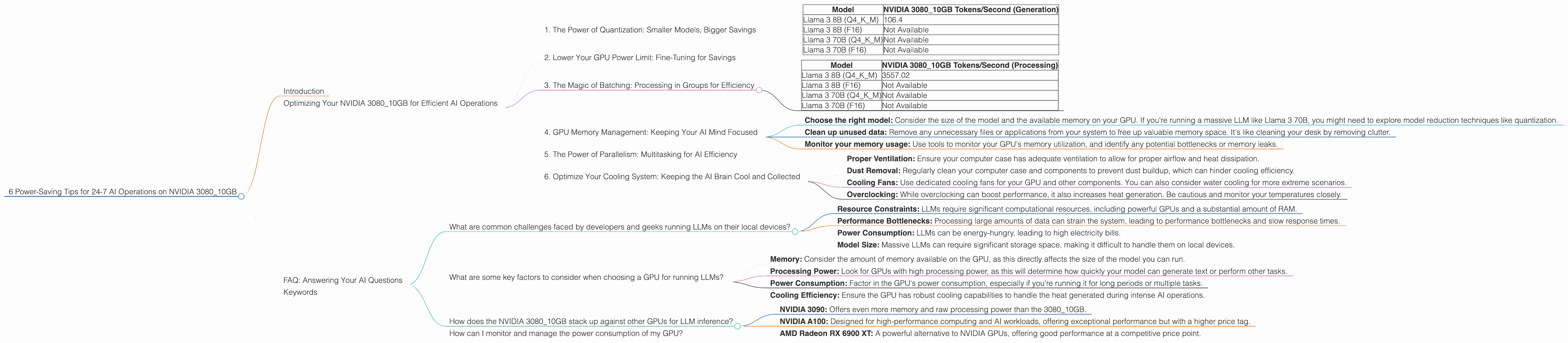
| Model | NVIDIA 3080_10GB Tokens/Second (Generation) |
|---|---|
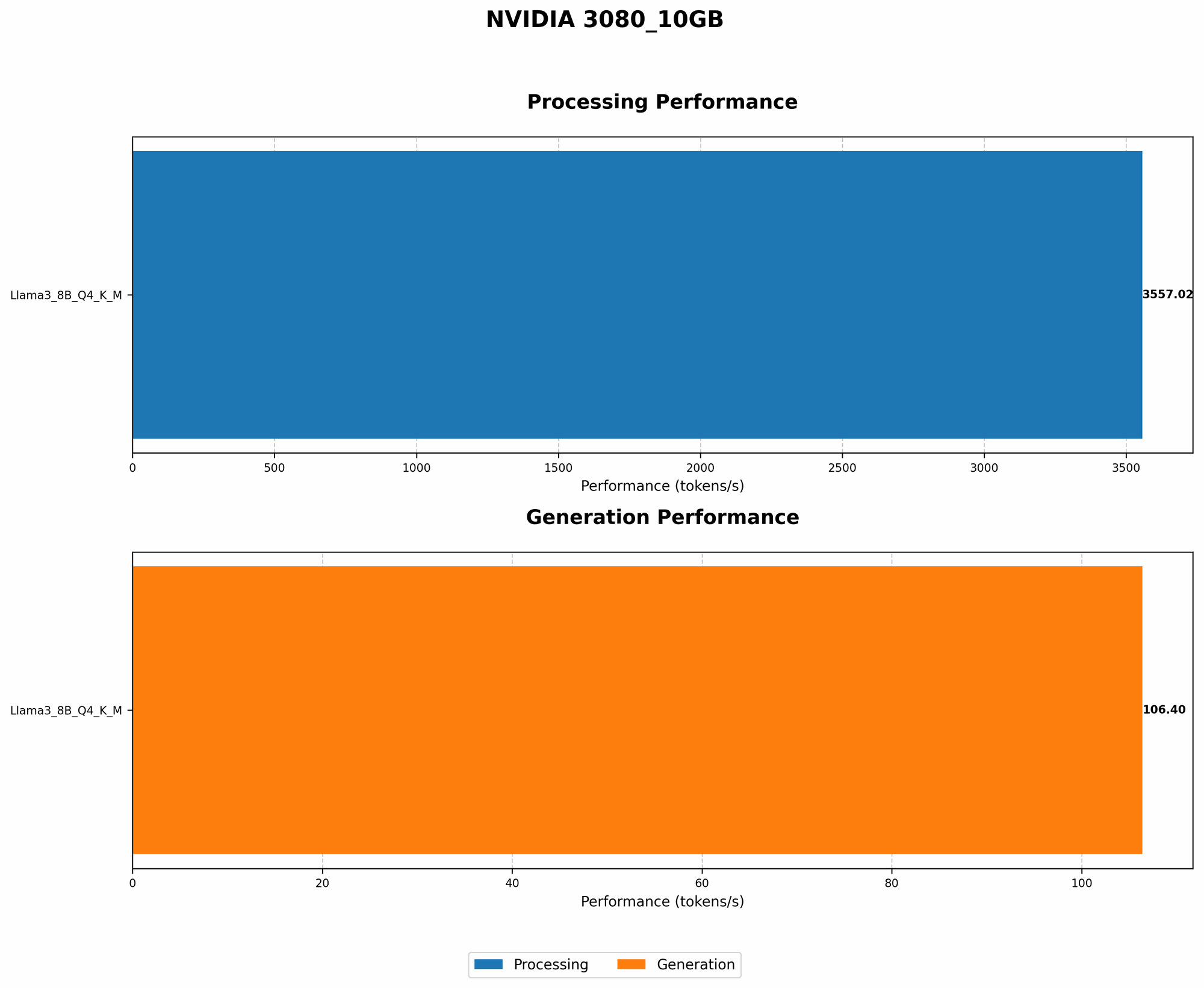
| Llama 3 8B (Q4KM) | 106.4 |
| Llama 3 8B (F16) | Not Available |
| Llama 3 70B (Q4KM) | Not Available |
| Llama 3 70B (F16) | Not Available |
As you can see, the Llama 3 8B model quantized with Q4KM achieves a respectable token generation speed of 106.4 tokens per second on the 3080_10GB. This is a great example of how quantization can significantly improve performance and efficiency!
2. Lower Your GPU Power Limit: Fine-Tuning for Savings
Have you ever noticed how a high-powered gaming rig can sound like a jet engine taking off? That's because the graphics card is pushing its limits, drawing a lot of power. It's time to tame those power-hungry beasts!
Lowering your GPU power limit is like setting a speed limit for your graphics card, making it less demanding on the power supply. By reducing the maximum amount of power it can draw, you'll see a reduction in both energy consumption and noise levels.
Think of it like driving a car. You wouldn't push your gas pedal all the way down for a casual commute, would you? Similarly, you can dial down the power of your GPU when running AI tasks that aren't requiring peak performance.
3. The Magic of Batching: Processing in Groups for Efficiency
Imagine having a million tasks lined up, and you're trying to complete them one by one. Now imagine you have a super-efficient assistant who can handle 10,000 tasks at a time. That's the power of batching!
By processing multiple tasks in groups, you can significantly reduce the overhead associated with each individual operation. This is like sending a batch of emails instead of sending each email individually – faster and more efficient!
Let's think about the real-world implications. Instead of generating one text prompt at a time, you can group multiple prompts together and have your GPU process them as a single batch. This can improve efficiency and get you those AI-generated results faster.
| Model | NVIDIA 3080_10GB Tokens/Second (Processing) |
|---|---|
| Llama 3 8B (Q4KM) | 3557.02 |
| Llama 3 8B (F16) | Not Available |
| Llama 3 70B (Q4KM) | Not Available |
| Llama 3 70B (F16) | Not Available |
The impressive 3557.02 tokens per second for processing the Llama 3 8B model using Q4KM showcases the power of batching. It's like having a team of AI assistants working in unison, tackling those tasks with lightning speed.
4. GPU Memory Management: Keeping Your AI Mind Focused
Imagine a cluttered desk with papers flying everywhere – would you be able to find what you need easily? The same principle applies to your GPU's memory.
Efficient memory management is crucial for maximizing the performance of your AI model. By organizing and storing data in an organized way, your GPU can access it faster and work more efficiently.
Think of it like optimizing the layout of your computer's hard drive. A well-organized drive with everything in its place makes it easier to find files and load programs quickly. The same applies to your GPU's memory.
Here are some practical tips for better GPU memory management:
- Choose the right model: Consider the size of the model and the available memory on your GPU. If you're running a massive LLM like Llama 3 70B, you might need to explore model reduction techniques like quantization.
- Clean up unused data: Remove any unnecessary files or applications from your system to free up valuable memory space. It's like cleaning your desk by removing clutter.
- Monitor your memory usage: Use tools to monitor your GPU's memory utilization, and identify any potential bottlenecks or memory leaks.
5. The Power of Parallelism: Multitasking for AI Efficiency
Have you ever struggled to juggle multiple tasks at once? Imagine having dedicated assistants handling each task independently – that's the magic of parallelism!
By utilizing multiple cores or processors to handle different parts of a task, you can significantly boost the performance of your AI operations. It's like having a team of specialists working on different aspects of a project, all at the same time.
6. Optimize Your Cooling System: Keeping the AI Brain Cool and Collected
Just like a human brain, an AI model needs to be kept cool to function optimally. Excessive heat can lead to performance degradation and even damage the hardware.
Here are some ways to improve your cooling system:
- Proper Ventilation: Ensure your computer case has adequate ventilation to allow for proper airflow and heat dissipation.
- Dust Removal: Regularly clean your computer case and components to prevent dust buildup, which can hinder cooling efficiency.
- Cooling Fans: Use dedicated cooling fans for your GPU and other components. You can also consider water cooling for more extreme scenarios.
- Overclocking: While overclocking can boost performance, it also increases heat generation. Be cautious and monitor your temperatures closely.
FAQ: Answering Your AI Questions
What are common challenges faced by developers and geeks running LLMs on their local devices?
Running large language models locally can present several challenges:
- Resource Constraints: LLMs require significant computational resources, including powerful GPUs and a substantial amount of RAM.
- Performance Bottlenecks: Processing large amounts of data can strain the system, leading to performance bottlenecks and slow response times.
- Power Consumption: LLMs can be energy-hungry, leading to high electricity bills.
- Model Size: Massive LLMs can require significant storage space, making it difficult to handle them on local devices.
What are some key factors to consider when choosing a GPU for running LLMs?
Here are some key factors to keep in mind when selecting a GPU for your LLM adventures:
- Memory: Consider the amount of memory available on the GPU, as this directly affects the size of the model you can run.
- Processing Power: Look for GPUs with high processing power, as this will determine how quickly your model can generate text or perform other tasks.
- Power Consumption: Factor in the GPU's power consumption, especially if you're running it for long periods or multiple tasks.
- Cooling Efficiency: Ensure the GPU has robust cooling capabilities to handle the heat generated during intense AI operations.
How does the NVIDIA 3080_10GB stack up against other GPUs for LLM inference?
The NVIDIA 3080_10GB is a popular choice for running LLMs, offering a good balance of performance and price. However, it's important to consider the specific requirements of your model before making a decision. Some other options include:
- NVIDIA 3090: Offers even more memory and raw processing power than the 3080_10GB.
- NVIDIA A100: Designed for high-performance computing and AI workloads, offering exceptional performance but with a higher price tag.
- AMD Radeon RX 6900 XT: A powerful alternative to NVIDIA GPUs, offering good performance at a competitive price point.
How can I monitor and manage the power consumption of my GPU?
You can use tools like the NVIDIA Control Panel or third-party monitoring software to keep an eye on your GPU's power usage. By understanding your power consumption patterns, you can identify areas where you can optimize your system for efficiency.
Keywords
AI, LLM, NVIDIA 3080, GPU, Power Consumption, Performance Optimization, Quantization, Batching, Parallelism, Cooling, Memory Management