6 Power Saving Tips for 24 7 AI Operations on NVIDIA 3070 8GB
Introduction
Have you ever dreamed of running a large language model (LLM) like Llama 2 on your own computer, 24/7, without breaking the bank on electricity bills? Well, dream no more! This guide will equip you with the necessary knowledge and practical tips to operate your LLM efficiently and sustainably on a trusty NVIDIA GeForce RTX 3070 8GB.
Think of your GPU as a powerful brain, capable of crunching numbers for text generation and processing at lightning speed. But like any brain, it needs to be fed and rested. Running an LLM constantly can be quite resource-intensive, leading to sky-high energy consumption. But fear not, we'll explore smart strategies to optimize your setup and keep those watts in check, without compromising performance.
So, buckle up, grab some coffee (or tea, if you're a purist), and let's dive into the world of efficient AI operations, powered by your trusty NVIDIA 3070!
1. Quantization: Shrinking the Model Footprint
Understanding Quantization
Imagine a book full of complex equations. If you wanted to share it with someone, you could either give them the whole book, or you could write down just the key numbers and symbols, making it easier and faster to understand. That’s essentially what quantization does with your LLM model.
It takes the model's parameters, which are numbers representing the relationships between words, and converts them to smaller, simplified versions. This reduces the model's size and speeds up processing, meaning your GPU needs to work less hard!
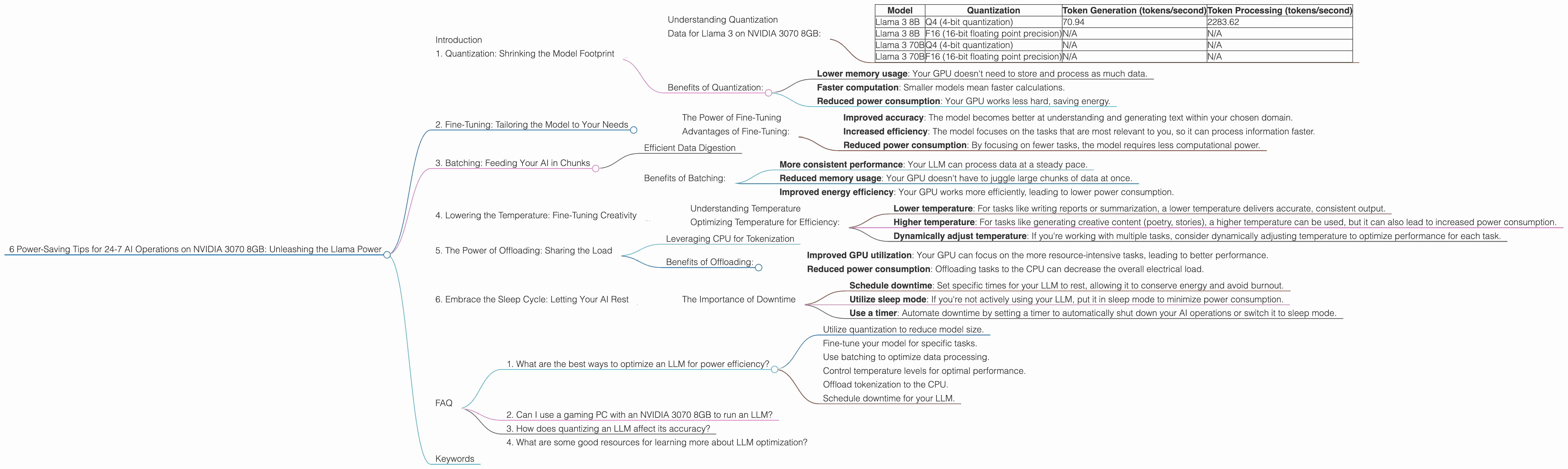
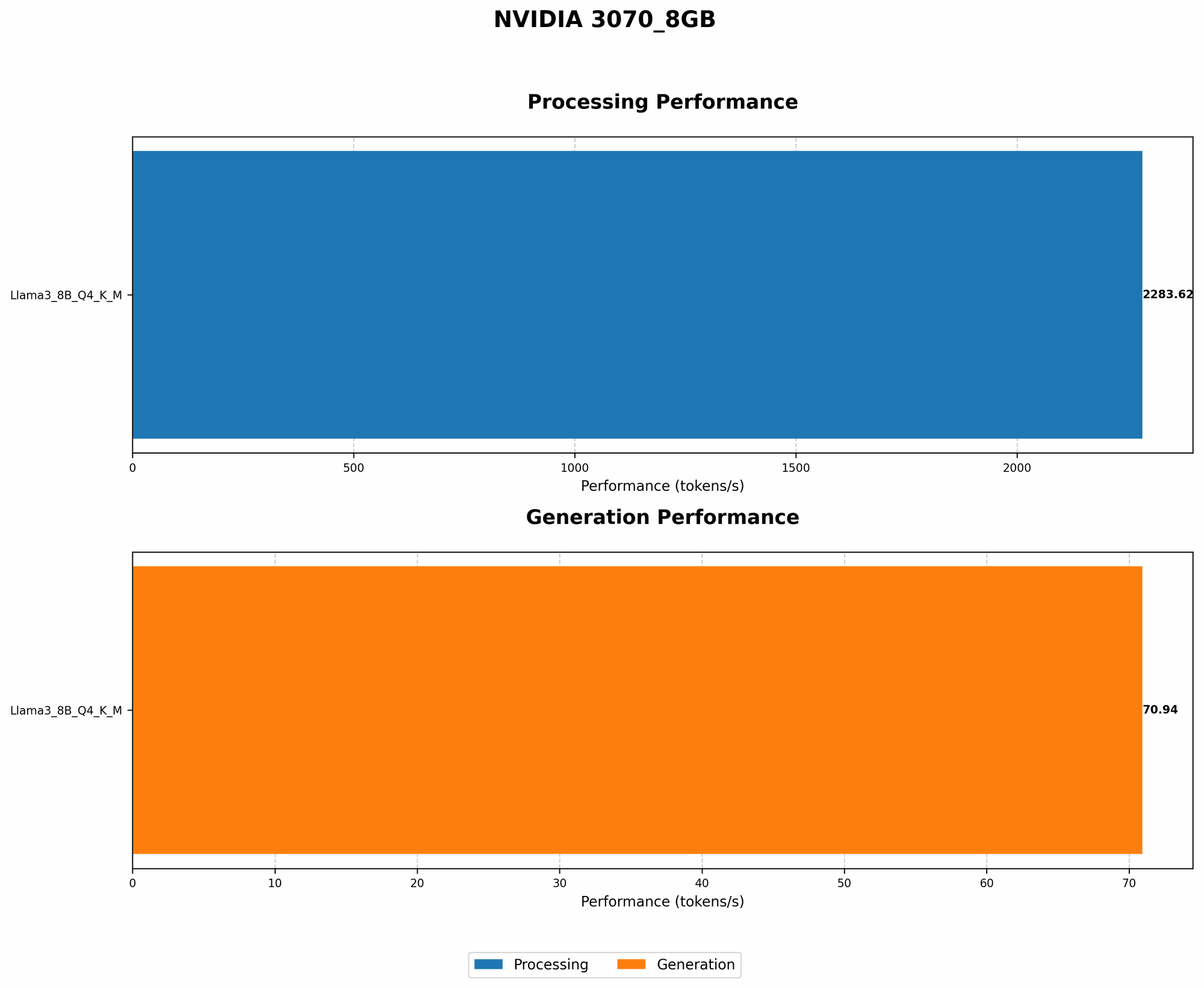
Data for Llama 3 on NVIDIA 3070 8GB:
| Model | Quantization | Token Generation (tokens/second) | Token Processing (tokens/second) |
|---|---|---|---|
| Llama 3 8B | Q4 (4-bit quantization) | 70.94 | 2283.62 |
| Llama 3 8B | F16 (16-bit floating point precision) | N/A | N/A |
| Llama 3 70B | Q4 (4-bit quantization) | N/A | N/A |
| Llama 3 70B | F16 (16-bit floating point precision) | N/A | N/A |
As you can see, the Llama 3 8B model with Q4 quantization shows significantly higher token generation and processing speeds on the NVIDIA 3070 8GB compared to the F16 version, which is not available with the NVIDIA 3070 8GB.
Benefits of Quantization:
- Lower memory usage: Your GPU doesn't need to store and process as much data.
- Faster computation: Smaller models mean faster calculations.
- Reduced power consumption: Your GPU works less hard, saving energy.
2. Fine-Tuning: Tailoring the Model to Your Needs
The Power of Fine-Tuning
Fine-tuning is like giving your LLM a crash course in your specific domain. Instead of starting from scratch with a general-purpose model, you can train it on a dataset related to your specific tasks, like writing emails, translating languages, or generating code.
Think of it like teaching a student a new language. It might be helpful to start with a general course, but to become a fluent speaker, they need to learn specific vocabulary and grammar related to their field.
Advantages of Fine-Tuning:
- Improved accuracy: The model becomes better at understanding and generating text within your chosen domain.
- Increased efficiency: The model focuses on the tasks that are most relevant to you, so it can process information faster.
- Reduced power consumption: By focusing on fewer tasks, the model requires less computational power.
3. Batching: Feeding Your AI in Chunks
Efficient Data Digestion
Imagine your LLM as a hungry monster. If you feed it a huge meal all at once, it's going to take a while to digest and might even get indigestion!
Batching is like giving your LLM smaller, manageable meals (batches), instead of one giant feast. This allows it to process the information faster and more efficiently.
Benefits of Batching:
- More consistent performance: Your LLM can process data at a steady pace.
- Reduced memory usage: Your GPU doesn't have to juggle large chunks of data at once.
- Improved energy efficiency: Your GPU works more efficiently, leading to lower power consumption.
4. Lowering the Temperature: Fine-Tuning Creativity
Understanding Temperature
Imagine your LLM as a chef. If you set the temperature of the stove too high, the food will burn. Similarly, if you set the temperature of your LLM too high, it might generate creative but nonsensical text.
Temperature controls the predictive probability of the LLM: lower temperature means more predictable and coherent outputs, while higher temperature unlocks creativity but can lead to randomness.
Optimizing Temperature for Efficiency:
- Lower temperature: For tasks like writing reports or summarization, a lower temperature delivers accurate, consistent output.
- Higher temperature: For tasks like generating creative content (poetry, stories), a higher temperature can be used, but it can also lead to increased power consumption.
- Dynamically adjust temperature: If you're working with multiple tasks, consider dynamically adjusting temperature to optimize performance for each task.
5. The Power of Offloading: Sharing the Load
Leveraging CPU for Tokenization
Tokenization is the process of breaking down text into individual words or parts of words (tokens). It's a crucial step for your LLM to understand the text you feed it.
Since tokenization is primarily a computationally cheap process, it can be offloaded to the CPU while your GPU focuses on the more complex task of text generation and processing.
Benefits of Offloading:
- Improved GPU utilization: Your GPU can focus on the more resource-intensive tasks, leading to better performance.
Reduced power consumption: Offloading tasks to the CPU can decrease the overall electrical load.
6. Embrace the Sleep Cycle: Letting Your AI Rest
The Importance of Downtime
Just like humans, your LLM needs downtime to recharge its batteries. If you run your LLM 24/7 without any rest, it might become sluggish and even experience performance issues.
Here are some strategies to manage downtime:
- Schedule downtime: Set specific times for your LLM to rest, allowing it to conserve energy and avoid burnout.
- Utilize sleep mode: If you're not actively using your LLM, put it in sleep mode to minimize power consumption.
- Use a timer: Automate downtime by setting a timer to automatically shut down your AI operations or switch it to sleep mode.
FAQ
1. What are the best ways to optimize an LLM for power efficiency?
- Utilize quantization to reduce model size.
- Fine-tune your model for specific tasks.
- Use batching to optimize data processing.
- Control temperature levels for optimal performance.
- Offload tokenization to the CPU.
- Schedule downtime for your LLM.
2. Can I use a gaming PC with an NVIDIA 3070 8GB to run an LLM?
Yes, a gaming PC with an NVIDIA 3070 8GB is perfectly capable of running smaller LLM models like Llama 2 7B and Llama 2 13B! But remember, bigger models will require more power.
3. How does quantizing an LLM affect its accuracy?
Quantization can sometimes slightly reduce the accuracy of an LLM, but the benefits in terms of performance and energy efficiency often outweigh this tradeoff.
4. What are some good resources for learning more about LLM optimization?
The Hugging Face website is an excellent resource for documentation and tutorials on LLMs. The GitHub repositories for frameworks like Llama.cpp and GPT-Neo are also great for practical examples and discussions.
Keywords
LLM, Llama 2, NVIDIA 3070 8GB, GPU, power efficiency, energy saving, quantization, fine-tuning, batching, temperature, offloading, CPU, downtime, AI, machine learning, deep learning, tokenization, processing, generation, tokens, model size, performance optimization, sustainability, energy consumption.