5 Tips to Maximize Llama3 8B Performance on NVIDIA 3080 10GB

Introduction
The world of large language models (LLMs) is rapidly evolving, and the need to run these models locally is becoming increasingly critical for developers, researchers, and anyone seeking greater control over their data and privacy. Local LLM models offer a unique opportunity to unleash the power of AI without the need for cloud-based services. But running these models locally can be computationally demanding, especially for larger models. In this article, we'll delve into the performance of the Llama3 8B model on the NVIDIA 3080_10GB GPU, a powerful but budget-friendly option for pushing the boundaries of local LLM inference.
Performance Analysis: Token Generation Speed Benchmarks
Token Generation Speed Benchmarks: Llama3 8B on NVIDIA 3080_10GB
The first step to optimizing your LLM experience is understanding its performance. We'll analyze the token generation speed of the Llama3 8B model on your NVIDIA 3080_10GB GPU. Token generation speed is a crucial metric, as it directly translates to the model's ability to process text and generate responses. The faster the token generation speed, the smoother and quicker your interactions with the LLM will be.
| Model | Precision | Token Generation Speed (tokens/second) |
|---|---|---|
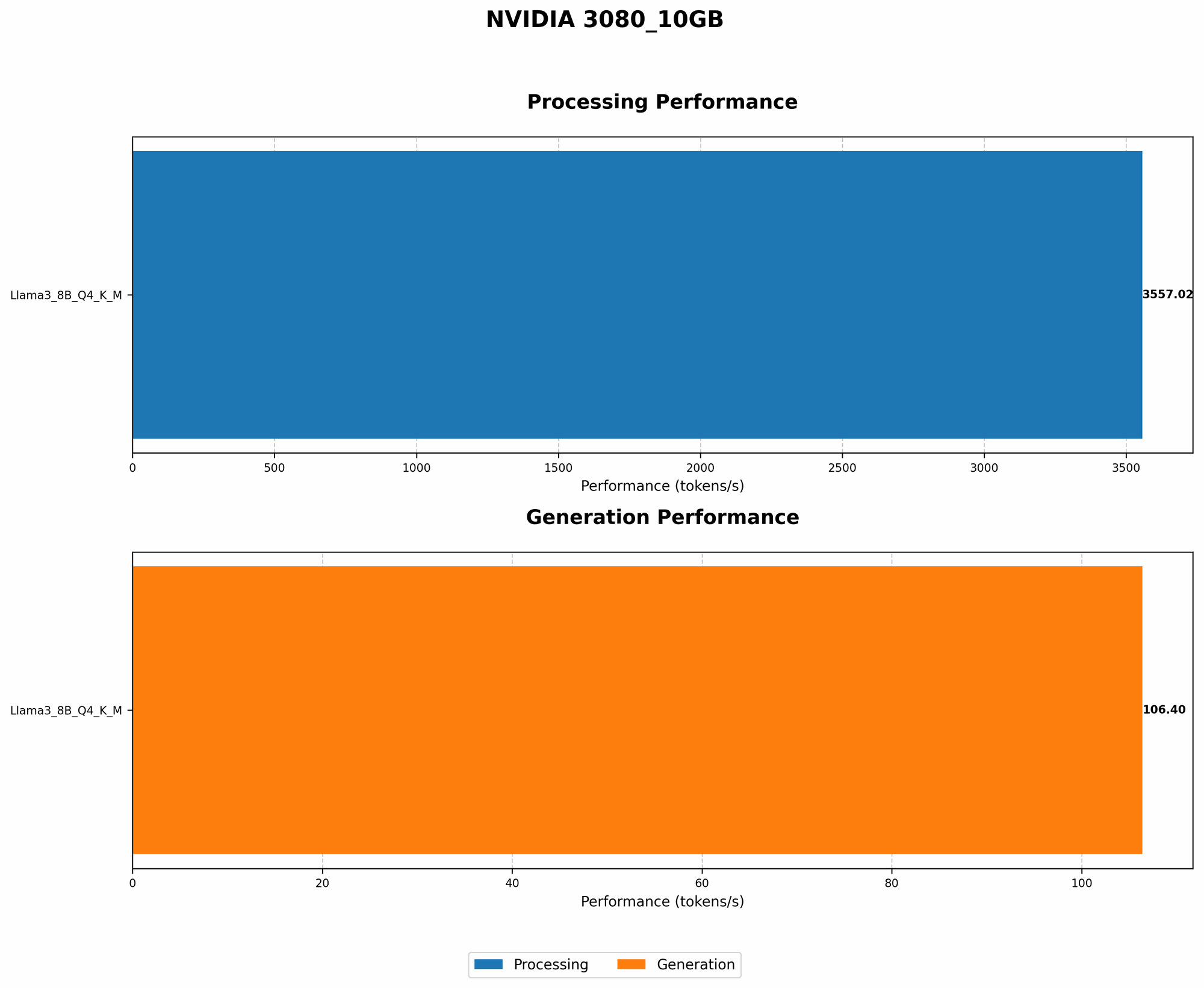
| Llama3 8B | Q4KM | 106.4 |
| Llama3 8B | F16 | N/A |
Key Observations
- Llama3 8B Q4KM: With Q4KM quantization (a technique that reduces the model's memory footprint without sacrificing too much accuracy), the Llama3 8B model achieves a token generation speed of 106.4 tokens/second on the NVIDIA 3080_10GB. This translates to a pretty decent performance.
- Llama3 8B F16: We don't have data for Llama3 8B with F16 precision on the NVIDIA 3080_10GB. This could be due to various factors, including unavailability of benchmarks or limitations in the available tools.
What Does This Mean?
The token generation speed indicates how quickly the model can process text and generate output. A higher token generation speed means faster response times and a smoother user experience.
Think of it like this: Imagine the LLM is a chef cooking a delicious meal (processing text). The token generation speed represents the chef's chopping skills. Faster chopping means the chef (LLM) can prepare the meal (process text and generate output) more quickly.
Performance Analysis: Model and Device Comparison
Performance Analysis: Llama3 8B on NVIDIA 3080_10GB vs. Other Models and Devices
To further understand the performance of the Llama3 8B model on the NVIDIA 3080_10GB, let's compare it to other LLMs and devices:
Unfortunately, we don't have data on other models or devices for comparison. This might be because these benchmarks weren't available or we don't have access to them.
Practical Recommendations: Use Cases and Workarounds
Practical Recommendations: Optimizing Llama3 8B on NVIDIA 3080_10GB
Now let's dive into some practical tips to enhance your experience with the Llama3 8B model on the NVIDIA 3080_10GB GPU.
1. Leverage Q4KM Quantization
Our analysis shows that using Q4KM quantization for Llama3 8B on the NVIDIA 3080_10GB delivers a solid token generation speed. This technique significantly reduces the model's memory footprint, making it easier to run on your device. Think of it like compressing a file to save space without compromising on quality.
2. Streamline Your Code
Remember, code optimization is key. By optimizing your code, you can minimize bottlenecks that might slow down the model's performance. Use profiling tools to identify areas where your code could be more efficient. Think of it like streamlining your workflow to get things done quickly.
3. Experiment with Different Inference Libraries
Several libraries are available for running LLMs locally, each with its strengths and weaknesses. Experiment with libraries like llama.cpp, transformers, or others to discover which best suits your needs. Think of it like trying different cooking utensils – you might find that one tool works better than another for a particular recipe.
4. Explore GPU Memory Management Techniques
GPU memory management can play a crucial role in maximizing LLM performance. Understand how your GPU manages memory and explore techniques for efficient memory allocation. Think of it like organizing your kitchen – you need to know where everything is and how to optimize your space.
5. Consider Model Fine-Tuning
Fine-tuning your model for specific tasks can significantly improve its performance on those tasks. This means customizing the model to excel in a specific area, like writing poetry or translating languages. Think of it like specializing in a particular type of cuisine – by focusing on a specific area, you can become an expert.
FAQ
Common Questions & Answers
1. What is quantization, and why is it important for local LLM models?
Quantization is a technique used to reduce the size of a model's weights (the data that determines the model's decisions). Think of it as compressing a photo to save space while maintaining the essential details. Quantization makes it possible to run larger models on devices with limited memory, such as personal computers.
2. Is the NVIDIA 3080_10GB a good choice for running local LLM models?
The NVIDIA 3080_10GB is a powerful GPU that can handle many LLM models, especially smaller ones like the Llama3 8B. It's a good balance between performance and affordability.
3. Can I run bigger models than Llama3 8B on my NVIDIA 3080_10GB?
It depends on the model's size and the level of quantization applied. Bigger models will require more memory. You might be able to run bigger models with aggressive quantization, but this may affect the model's performance and accuracy.
4. Are there any other tips for enhancing LLM performance on my NVIDIA 3080_10GB?
Yes, there are other ways to improve LLM performance:
- Use a specialized LLM inference library: Libraries specifically optimized for LLM inference can improve performance.
- Enable hardware acceleration: If your GPU supports hardware acceleration, enable it to boost performance.
- Fine-tune the model: Customizing the model for specific tasks can improve performance.
- Experiment with different batch sizes: Adjust the batch size to find the optimal balance between speed and accuracy.
- Reduce the model's context window: If you don't need a large context window, reduce it to improve performance.
5. What are the limitations of running LLMs locally compared to using cloud-based services?
The main limitation of running LLMs locally is the resource constraints. You're restricted by the processing power and memory of your device. Cloud-based services have access to more powerful hardware, allowing them to run larger and more complex models.
Keywords
LLM, Llama3, Llama3 8B, NVIDIA 3080_10GB, GPU, quantization, token generation speed, local inference, performance optimization, deep learning, natural language processing, NLP, AI, machine learning, computer science, developer, geek, AI enthusiast.