5 Tips to Maximize Llama2 7B Performance on Apple M2 Ultra
Introduction
The world of Large Language Models (LLMs) is buzzing with excitement, and for good reason! These powerful AI systems can generate text, translate languages, write different kinds of creative content, and answer your questions in an informative way. But harnessing the power of LLMs often requires specialized hardware, especially if you want to run them locally on your own machine.
This article dives deep into the performance of the Llama2 7B model on the Apple M2_Ultra chip, a behemoth of a processor known for its incredible horsepower. We'll uncover its strengths and limitations, explore various quantization techniques, and share practical tips to maximize your Llama2 7B experience.
Token Generation Speed Benchmarks: Apple M1 and Llama2 7B
Think of tokens as the building blocks of language. When an LLM processes text, it breaks it down into tokens, which are like tiny pieces of words or punctuation marks. The faster an LLM can generate these tokens, the quicker it can process information and generate responses.
Let's take a look at the token generation speeds of Llama2 7B on the M2_Ultra. We'll analyze the performance under different quantization levels, which essentially determine the level of precision in representing the LLM's weights.
F16 Quantization: High Precision, Still Fast
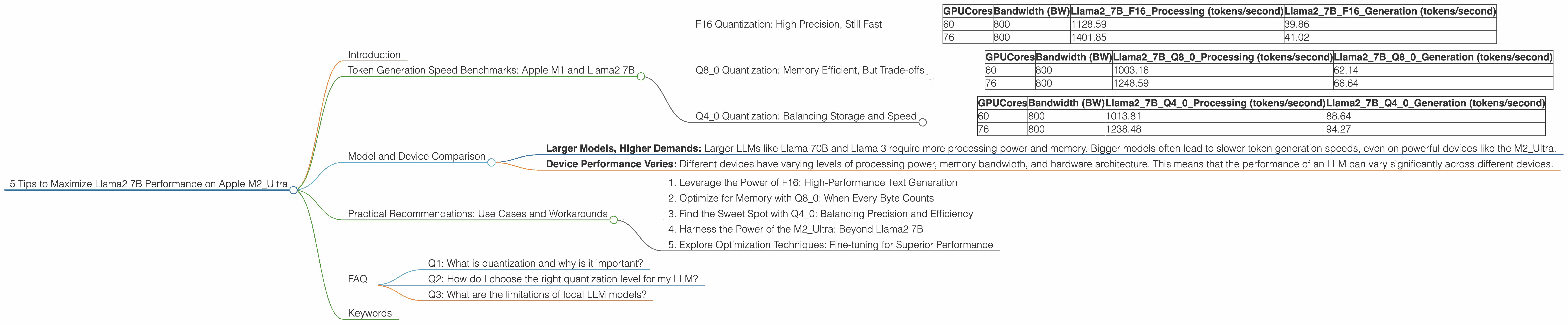
| GPUCores | Bandwidth (BW) | Llama27BF16_Processing (tokens/second) | Llama27BF16_Generation (tokens/second) |
|---|---|---|---|
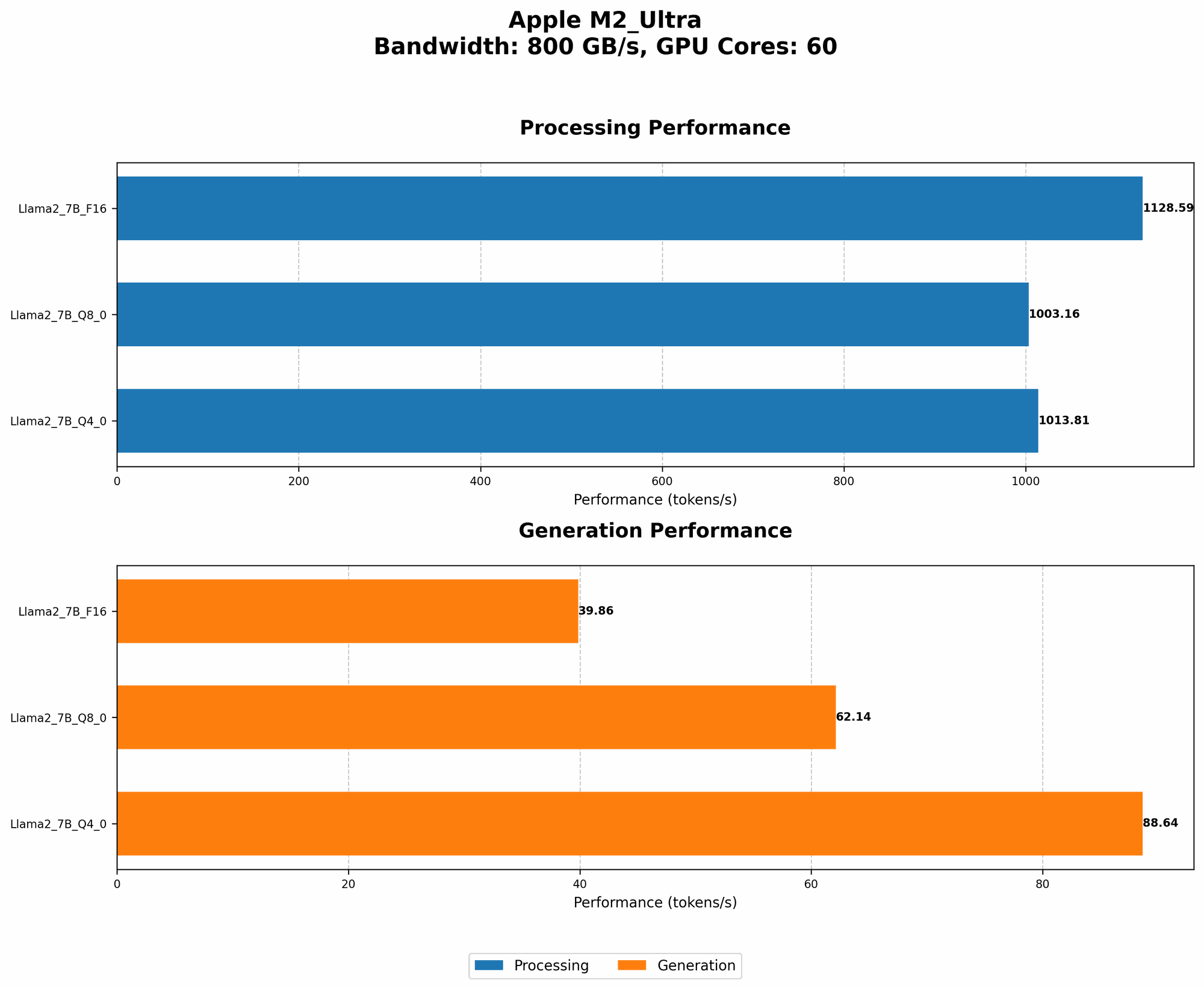
| 60 | 800 | 1128.59 | 39.86 |
| 76 | 800 | 1401.85 | 41.02 |
F16 quantization, while sacrificing a little bit of memory efficiency, maintains high precision in representing the LLM's weights. This results in faster token generation, especially for complex and nuanced tasks.
Q8_0 Quantization: Memory Efficient, But Trade-offs
| GPUCores | Bandwidth (BW) | Llama27BQ80Processing (tokens/second) | Llama27BQ80Generation (tokens/second) |
|---|---|---|---|
| 60 | 800 | 1003.16 | 62.14 |
| 76 | 800 | 1248.59 | 66.64 |
Q8_0 quantization uses 8-bit integers to represent the LLM's weights, which reduces memory usage and can improve performance. However, it might lead to slight accuracy drops in token generation compared to F16 quantization.
Q4_0 Quantization: Balancing Storage and Speed
| GPUCores | Bandwidth (BW) | Llama27BQ40Processing (tokens/second) | Llama27BQ40Generation (tokens/second) |
|---|---|---|---|
| 60 | 800 | 1013.81 | 88.64 |
| 76 | 800 | 1238.48 | 94.27 |
Q40 quantization strikes a balance between storage efficiency and token generation speed. You get better memory usage than F16, but with a slightly slower generation speed than Q80.
Model and Device Comparison
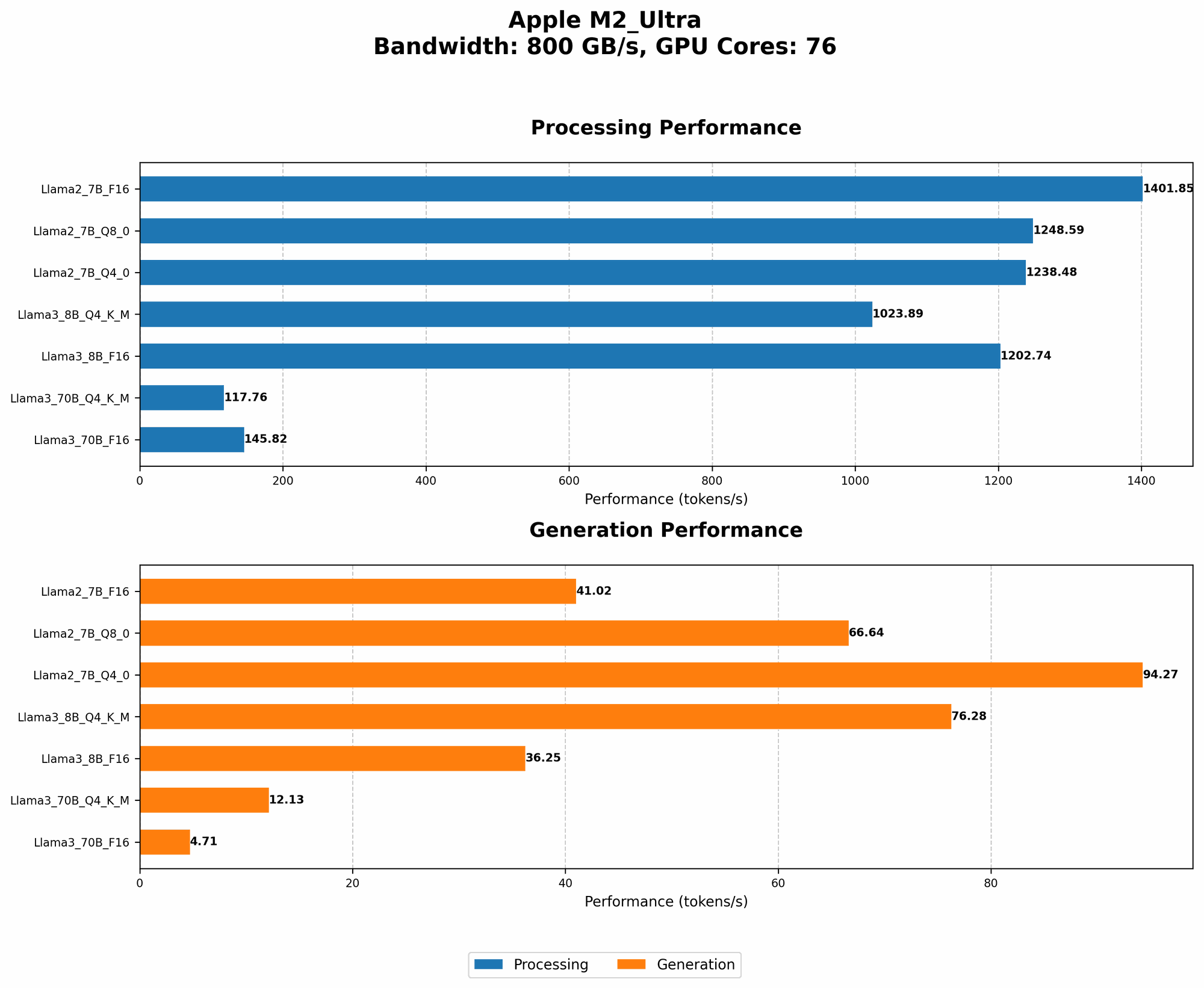
The M2_Ultra is a powerhouse of a processor, but how does its performance stack up against other LLMs and devices?
Unfortunately, we don't have data for other LLMs such as Llama 70B or Llama 3 models on the M2_Ultra. This limits our ability to provide a comprehensive comparison. However, we can make some general observations.
- Larger Models, Higher Demands: Larger LLMs like Llama 70B and Llama 3 require more processing power and memory. Bigger models often lead to slower token generation speeds, even on powerful devices like the M2_Ultra.
- Device Performance Varies: Different devices have varying levels of processing power, memory bandwidth, and hardware architecture. This means that the performance of an LLM can vary significantly across different devices.
Practical Recommendations: Use Cases and Workarounds
Now that we've explored the performance of Llama2 7B on the M2_Ultra, let's talk about how to put it into practice.
1. Leverage the Power of F16: High-Performance Text Generation
For tasks requiring high-fidelity outputs, like generating creative content or writing code, F16 quantization is the way to go. The M2_Ultra can handle F16 computations with ease, ensuring fast and accurate token generation.
2. Optimize for Memory with Q8_0: When Every Byte Counts
If you're working with a limited amount of RAM or processing a large dataset, Q8_0 quantization can be your friend. While it sacrifices some precision, it significantly reduces memory usage, allowing you to run larger models or handle larger datasets.
3. Find the Sweet Spot with Q4_0: Balancing Precision and Efficiency
Q4_0 quantization offers a good balance between memory efficiency and token generation speed. It's a great option for tasks that don't strictly require the highest precision, such as summarizing text or answering simple questions.
4. Harness the Power of the M2_Ultra: Beyond Llama2 7B
The M2_Ultra is capable of handling significantly larger and more complex LLMs than Llama2 7B. It's a versatile platform for exploring the world of LLMs, and its potential is only limited by your imagination.
5. Explore Optimization Techniques: Fine-tuning for Superior Performance
Even with the M2_Ultra's impressive capabilities, you can further enhance your LLM's performance by using optimization techniques. Using techniques like gradient accumulation can help reduce memory pressure and improve throughput, especially when working with larger LLMs.
FAQ
Q1: What is quantization and why is it important?
Quantization is a technique used to reduce the size of LLM weights. Imagine representing a number with 32 bits (a lot of space). Quantization can reduce this to 16 bits, 8 bits, or even 4 bits, which helps save memory and can improve performance.
Q2: How do I choose the right quantization level for my LLM?
It depends on the specific task and your hardware limitations. For tasks requiring high precision, F16 is a good choice. Q80 is suitable when memory is at a premium, and Q40 offers a compromise between the two.
Q3: What are the limitations of local LLM models?
Local LLMs are not as powerful as cloud-based LLMs, and their performance can be limited by your hardware. However, they offer more privacy and control over your data.
Keywords
Llama2 7B, Apple M2Ultra, token generation speed, performance analysis, quantization, F16, Q80, Q4_0, LLM, large language models, local models, AI, machine learning, deep learning, natural language processing, NLP, GPU, GPUCores, Bandwidth, optimization, gradient accumulation, use cases, workarounds