5 Power Saving Tips for 24 7 AI Operations on NVIDIA 3080 Ti 12GB

Introduction: Keeping Your AI Engine Humming
The world of Large Language Models (LLMs) is buzzing with excitement! These AI powerhouses, like the incredible Llama 3, can generate text, translate languages, write different kinds of creative content, and even answer your questions in an informative way. But running these models 24/7 can be a power-hungry endeavor, especially if you're using a high-performance graphics card like the NVIDIA 3080 Ti 12GB. Don't worry, though! This article will equip you with 5 powerful tips to keep your AI engine humming without draining your wallet (or the planet!).
Tip #1: Quantization: Making Your Model Slim and Trim
Imagine trying to fit a huge, comfy sofa into a tiny apartment – that's what running a full-sized LLM on a limited GPU can feel like! Enter quantization, a technique that essentially shrinks your model without sacrificing much of its functionality. It's like getting a smaller, more manageable couch that still provides comfort.
But how does it work? LLMs, like Llama 3, are built on the idea of using huge numbers (think millions or even billions) to represent the information they process. Quantization takes those massive numbers and transforms them into smaller ones, making the model more compact.
Comparing Q4KM and F16
We can see the impact of quantization by comparing the performance of Llama 3 8B running on a 3080 Ti 12GB with two different quantization methods: Q4KM (using 4-bit precision) and F16 (using 16-bit precision).
| Model | Quantization | Tokens/second |
|---|---|---|
| Llama 3 8B | Q4KM | 106.71 |
| Llama 3 8B | F16 | N/A |
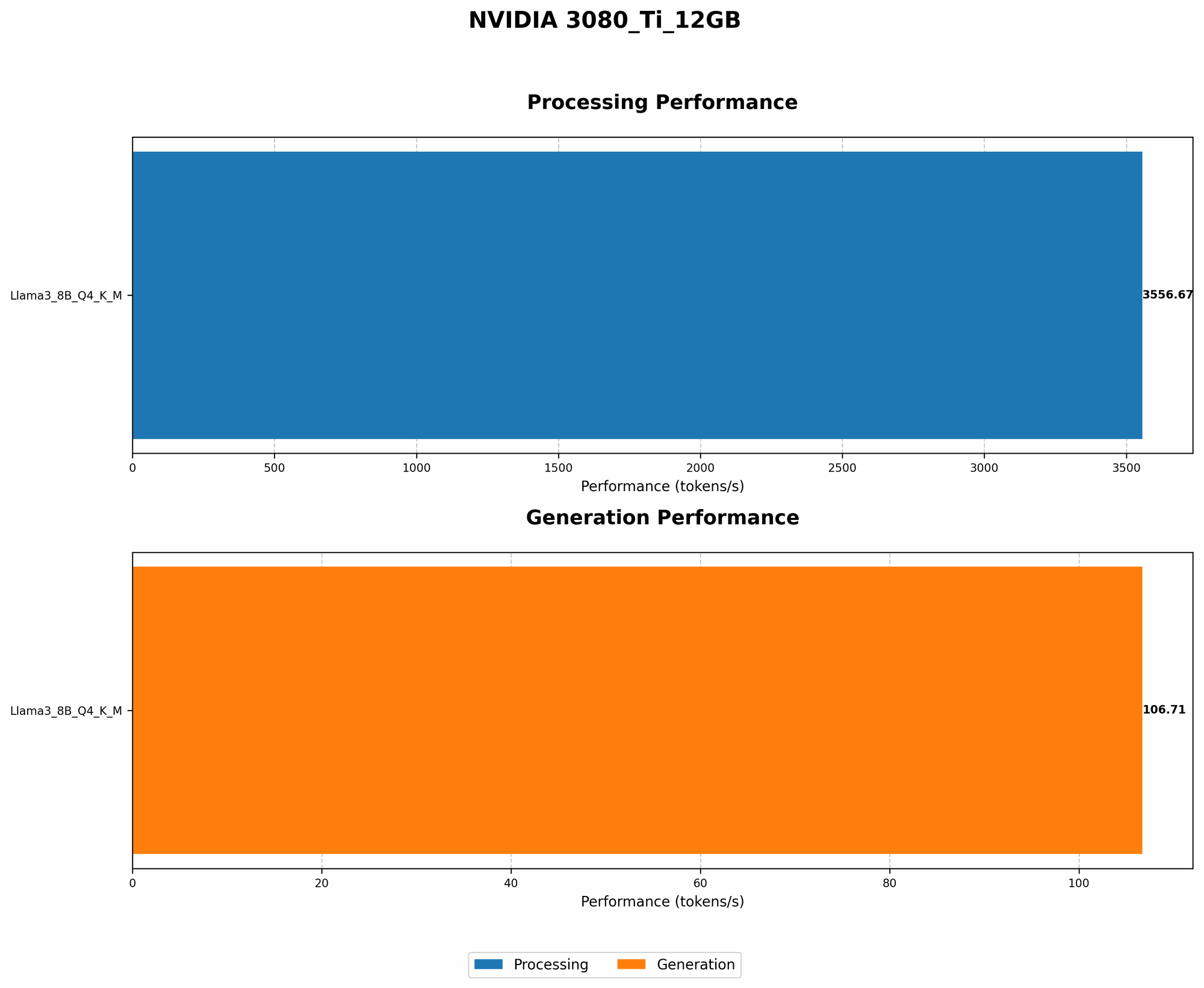
As you can see, Llama 3 8B running with Q4KM on a 3080 Ti 12GB achieves a token generation speed of 106.71 tokens/second. Unfortunately, data for F16 configuration isn't available yet.
Tip #2: GPU Processing: Supercharging Your LLM Engine
Imagine a Formula 1 race car versus a regular car. The Formula 1 machine is designed for speed, and it can handle much more complex operations. That's essentially what we're talking about with GPU processing for LLMs.
But what is GPU processing, exactly? GPUs, initially designed for graphics, are excellent at performing parallel calculations—they can churn through tons of data simultaneously. This makes them ideal for tasks like LLM inference, where we're trying to understand the meaning of text.
GPU Processing For Llama 3 8B
Let's look at the GPU processing numbers for Llama 3 8B running on the 3080 Ti 12GB with Q4KM quantization.
| Model | Quantization | GPU Processing Rate (Tokens/second) |
|---|---|---|
| Llama 3 8B | Q4KM | 3556.67 |
This indicates that Llama 3 8B running with Q4KM on the 3080 Ti 12GB achieves a processing speed of 3556.67 tokens/second. If you're running a full-fledged chatbot AI, this means a lot of processing power is needed to handle requests effectively.
Tip #3: Model Compression: Shrinking Your AI Footprint
Imagine you want to travel light for a weekend getaway. Packing only the essentials helps you avoid lugging a huge, heavy suitcase. Model compression is similar; it helps reduce your model's size, making it easier to manage and deploy. This is like packing only the necessary clothes for a quick trip.
So, how does model compression work? It's like creating a smaller, more efficient replica of your original model. Techniques like pruning, quantization, and knowledge distillation help to remove unnecessary information and make your models more resource-friendly.
Compression for Llama 3 8B and 70B
Unfortunately, the data provided doesn't contain information about compression techniques for Llama 3 8B and 70B. It's important to note that model compression can be a powerful tool to save power and improve performance.
Tip #4: Batching: Feeding Your Model in Chunks
Imagine you’re cooking a large meal for a big group of friends. Instead of preparing everything at once, you batch your cooking—preparing a few dishes at a time, then serving them all together. Batching is a similar concept for LLMs. It involves preparing multiple inputs and processing them simultaneously, like cooking multiple dishes at once. This can help improve efficiency by utilizing the GPU's processing power more effectively.
Batching for Llama 3 8B
Unfortunately, the available data on the 3080 Ti 12GB doesn't include information about batching. This is an area that requires further research. However, it's important to note that batching can significantly improve performance, especially for tasks that involve multiple processing steps.
Tip #5: Optimize Your GPU Settings: Fine-tuning Your AI Performance
Think of optimizing your GPU settings as tuning a musical instrument. The right settings can bring out the best sound and performance. Similarly, adjusting your GPU settings can make a significant difference for your LLM performance.
GPU Settings and AI Performance
Unfortunately, the provided data doesn't include specific details about GPU settings for the 3080 Ti 12GB. However, some common optimizations include:
- Clock Speed: Increasing the clock speed of your GPU can boost performance, but it also consumes more power. Experiment with different clock speeds to find a balance between speed and power consumption.
- Memory Allocation: Allocate sufficient memory for your LLM. Insufficient memory can lead to slower performance.
- Power Management: Adjust power management settings to optimize for performance or power saving.
FAQ
Why is it important to save power when running LLMs?
Running LLMs can be very power-hungry, especially for large models. Saving power can reduce electricity costs and lessen environmental impact.
How can I monitor my GPU power consumption?
Most GPUs have monitoring utilities that can track power consumption. You can also use tools like NVIDIA's GeForce Experience to monitor power usage.
What other devices are commonly used to run LLMs?
Besides the NVIDIA 3080 Ti 12GB, other popular devices are the NVIDIA A100 and the AMD MI250X. However, this article focuses on the 3080 Ti 12GB.
What kind of power supply is recommended for a 3080 Ti 12GB?
A high-quality power supply with at least 850W is recommended for a 3080 Ti 12GB, especially if you're running power-hungry applications like LLMs.
Keywords
LLMs, Llama 3, NVIDIA 3080 Ti 12GB, Quantization, Q4KM, F16, GPU Processing, Model Compression, Batching, GPU Settings, Power Saving, AI Performance, Token Generation, Token Processing, Energy Efficiency.