5 Noise Reduction Strategies for Your NVIDIA 4090 24GB x2 Setup
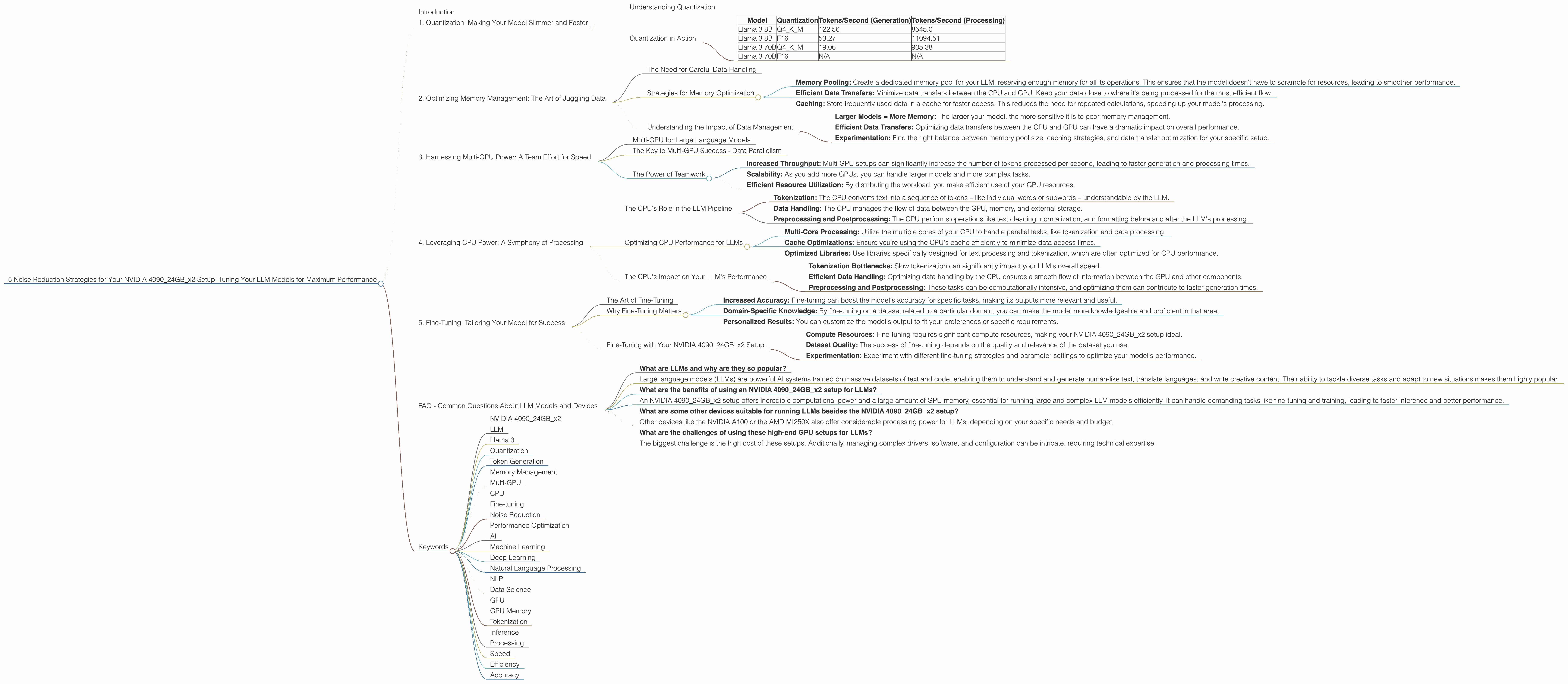
Introduction
Imagine you're a DJ spinning records, but instead of funky beats, you're dealing with the complex world of large language models (LLMs). You've got your top-of-the-line equipment - an NVIDIA 409024GBx2 setup - ready to generate text, translate languages, and even write creative content, but you're facing a familiar challenge: "noise."
Noise, in this context, refers to any factor hindering the smooth operation of your LLM, impacting its performance and potentially slowing down your creative process. You want your model to generate text seamlessly, without hiccups or delays. That's where fine-tuning comes into play.
This article digs deep into 5 powerful strategies for reducing noise in your NVIDIA 409024GBx2 setup, specifically focused on running popular LLM models like Llama 3. You'll learn how to optimize your system for maximum performance, maximizing your LLM's potential and taking your creative output to the next level. So, let's get started, and get rid of that pesky noise!
1. Quantization: Making Your Model Slimmer and Faster
Think of quantization as putting your LLM on a diet – making it lighter without sacrificing its essential functions. It's a technique that reduces the precision of numerical data within your model, often converting large, floating-point numbers to smaller, less memory-intensive integer versions. This "diet" results in a leaner, meaner model that runs faster on your GPU.
Understanding Quantization
Traditional LLMs often use 32-bit floating-point numbers (F32) to represent weights and activations, leading to larger models with high memory demands. Quantization transforms these numbers into smaller, less memory-intensive formats like 16-bit (F16) or 8-bit (Q4) integers.
Imagine you're representing the height of a building. You could use a number with many decimal places (F32), or you could just round it to the nearest meter (Q4). While you lose some precision, the overall impact on the building's height is negligible, and you gain a significant amount of space!
Quantization in Action
Let's see the benefits of quantization on our NVIDIA 409024GBx2 setup. We'll compare the performance of Llama 3 models with different quantization levels:
| Model | Quantization | Tokens/Second (Generation) | Tokens/Second (Processing) |
|---|---|---|---|
| Llama 3 8B | Q4KM | 122.56 | 8545.0 |
| Llama 3 8B | F16 | 53.27 | 11094.51 |
| Llama 3 70B | Q4KM | 19.06 | 905.38 |
| Llama 3 70B | F16 | N/A | N/A |
As you can see, using Q4KM quantization for Llama 3 8B on your NVIDIA 409024GBx2 setup significantly improves token generation speed compared to F16. However, it's important to note that quantization can sometimes lead to a slight drop in accuracy. For Llama 3 70B, we see a significant boost in performance with Q4KM quantization. Unfortunately, we lack data for F16 performance on this model.
Key Takeaways:
- Faster Generation: Quantization reduces the computational overhead, leading to faster token generation.
- Lower Memory Usage: Smaller models fit comfortably within your GPU's memory, allowing you to run larger models or multiple models simultaneously.
- Increased Performance: Quantization can significantly improve your LLM's overall performance, giving you smoother, faster results.
2. Optimizing Memory Management: The Art of Juggling Data

Imagine juggling multiple balls at once with your GPU. Each ball represents a different part of your LLM: weights, activations, and the input text you're feeding into the model. Efficiently managing this "juggling act" is crucial for smooth performance.
The Need for Careful Data Handling
LLMs, especially larger ones like Llama 3 70B, require significant memory for storing their weights and activations. If your GPU's memory gets overloaded, it can lead to performance bottlenecks and even crashes.
Strategies for Memory Optimization
- Memory Pooling: Create a dedicated memory pool for your LLM, reserving enough memory for all its operations. This ensures that the model doesn't have to scramble for resources, leading to smoother performance.
- Efficient Data Transfers: Minimize data transfers between the CPU and GPU. Keep your data close to where it's being processed for the most efficient flow.
- Caching: Store frequently used data in a cache for faster access. This reduces the need for repeated calculations, speeding up your model's processing.
Understanding the Impact of Data Management
While we don't have specific data on memory management for Llama 3 on the NVIDIA 409024GBx2 setup, remember this:
- Larger Models = More Memory: The larger your model, the more sensitive it is to poor memory management.
- Efficient Data Transfers: Optimizing data transfers between the CPU and GPU can have a dramatic impact on overall performance.
- Experimentation: Find the right balance between memory pool size, caching strategies, and data transfer optimization for your specific setup.
3. Harnessing Multi-GPU Power: A Team Effort for Speed
Imagine your LLM as a superhero team, each member possessing unique skills. Multi-GPU setups like your NVIDIA 409024GBx2 allow you to unlock the power of this team, dividing the workload and achieving incredible speed.
Multi-GPU for Large Language Models
Multi-GPU setups are particularly beneficial for large LLMs like Llama 3 70B, which require vast computational resources. By distributing the workload across multiple GPUs, you can significantly accelerate the model's inference and processing.
The Key to Multi-GPU Success - Data Parallelism
Data parallelism is the key to harnessing the power of your multiple GPUs. It involves dividing the input data into separate chunks, each processed by a dedicated GPU.
Imagine slicing a pizza into multiple pieces, each piece representing a chunk of data. Each GPU processes its slice independently, then the results are combined for a final output. This parallel processing significantly reduces the time required to complete the task.
The Power of Teamwork
While we don't have data specific to multi-GPU performance for Llama 3 70B on your NVIDIA 409024GBx2 setup, here's what you should know:
- Increased Throughput: Multi-GPU setups can significantly increase the number of tokens processed per second, leading to faster generation and processing times.
- Scalability: As you add more GPUs, you can handle larger models and more complex tasks.
- Efficient Resource Utilization: By distributing the workload, you make efficient use of your GPU resources.
4. Leveraging CPU Power: A Symphony of Processing
Think of your CPU as the conductor of an orchestra, coordinating the different elements of your LLM while the GPU takes on the role of the main instrument. While the GPU handles the heavy lifting of inference and processing, the CPU plays a crucial role in tasks like tokenization, preparing the text for the GPU.
The CPU's Role in the LLM Pipeline
- Tokenization: The CPU converts text into a sequence of tokens – like individual words or subwords – understandable by the LLM.
- Data Handling: The CPU manages the flow of data between the GPU, memory, and external storage.
- Preprocessing and Postprocessing: The CPU performs operations like text cleaning, normalization, and formatting before and after the LLM's processing.
Optimizing CPU Performance for LLMs
- Multi-Core Processing: Utilize the multiple cores of your CPU to handle parallel tasks, like tokenization and data processing.
- Cache Optimizations: Ensure you're using the CPU's cache efficiently to minimize data access times.
- Optimized Libraries: Use libraries specifically designed for text processing and tokenization, which are often optimized for CPU performance.
The CPU's Impact on Your LLM's Performance
While our dataset doesn't provide CPU-specific performance data for Llama 3 on the NVIDIA 409024GBx2 setup, remember this:
- Tokenization Bottlenecks: Slow tokenization can significantly impact your LLM's overall speed.
- Efficient Data Handling: Optimizing data handling by the CPU ensures a smooth flow of information between the GPU and other components.
- Preprocessing and Postprocessing: These tasks can be computationally intensive, and optimizing them can contribute to faster generation times.
5. Fine-Tuning: Tailoring Your Model for Success
Imagine training a new puppy – you need consistent guidance and feedback to help it learn specific tasks. Similarly, fine-tuning a large language model involves providing it with specific examples and instructions to tailor its performance to your specific needs.
The Art of Fine-Tuning
Fine-tuning involves adjusting the LLM's weights and biases based on a specific dataset. This process helps to align the model's output with your desired outcomes, making it more accurate and efficient for your specific tasks.
Why Fine-Tuning Matters
- Increased Accuracy: Fine-tuning can boost the model's accuracy for specific tasks, making its outputs more relevant and useful.
- Domain-Specific Knowledge: By fine-tuning on a dataset related to a particular domain, you can make the model more knowledgeable and proficient in that area.
- Personalized Results: You can customize the model's output to fit your preferences or specific requirements.
Fine-Tuning with Your NVIDIA 409024GBx2 Setup
While our dataset doesn't provide specific data on fine-tuning performance for Llama 3 on the NVIDIA 409024GBx2 setup, here's what you should keep in mind:
- Compute Resources: Fine-tuning requires significant compute resources, making your NVIDIA 409024GBx2 setup ideal.
- Dataset Quality: The success of fine-tuning depends on the quality and relevance of the dataset you use.
- Experimentation: Experiment with different fine-tuning strategies and parameter settings to optimize your model's performance.
FAQ - Common Questions About LLM Models and Devices
What are LLMs and why are they so popular?
- Large language models (LLMs) are powerful AI systems trained on massive datasets of text and code, enabling them to understand and generate human-like text, translate languages, and write creative content. Their ability to tackle diverse tasks and adapt to new situations makes them highly popular.
What are the benefits of using an NVIDIA 409024GBx2 setup for LLMs?
- An NVIDIA 409024GBx2 setup offers incredible computational power and a large amount of GPU memory, essential for running large and complex LLM models efficiently. It can handle demanding tasks like fine-tuning and training, leading to faster inference and better performance.
What are some other devices suitable for running LLMs besides the NVIDIA 409024GBx2 setup?
- Other devices like the NVIDIA A100 or the AMD MI250X also offer considerable processing power for LLMs, depending on your specific needs and budget.
What are the challenges of using these high-end GPU setups for LLMs?
- The biggest challenge is the high cost of these setups. Additionally, managing complex drivers, software, and configuration can be intricate, requiring technical expertise.
Keywords
- NVIDIA 409024GBx2
- LLM
- Llama 3
- Quantization
- Token Generation
- Memory Management
- Multi-GPU
- CPU
- Fine-tuning
- Noise Reduction
- Performance Optimization
- AI
- Machine Learning
- Deep Learning
- Natural Language Processing
- NLP
- Data Science
- GPU
- GPU Memory
- Tokenization
- Inference
- Processing
- Speed
- Efficiency
- Accuracy