5 Advanced Techniques to Squeeze Every Ounce of Performance from NVIDIA 4070 Ti 12GB

Introduction
The power of Large Language Models (LLMs) is undeniable, revolutionizing how we interact with information and even how we create it. But running these massive models locally, on your own hardware, can feel like a super-powered, yet slightly out-of-reach dream. The NVIDIA 4070 Ti 12GB, a powerhouse GPU, promises to unlock the potential of local LLM execution, but getting the most out of it requires some advanced techniques.
This guide dives deep into five strategies to supercharge your NVIDIA 4070 Ti 12GB for blazing fast local LLM inference. We'll explore the fine art of model quantization, efficient memory management, and other optimization techniques to make your LLM sing on this beastly graphics card. So, buckle up, geeks, and let's get performance-hungry!
Quantization: Shrinking the Giant for Speed
Imagine fitting a giant elephant into a tiny car. That's what quantization does for LLMs - shrinks their size without sacrificing too much accuracy. Think of it as using a smaller, more efficient data type (like 4-bit integers) to represent the model's weights, instead of the usual 32-bit floating-point numbers. This smaller footprint allows your GPU to process information quicker, like a race car on a racetrack.
Comparing Llama 3 Quantization on NVIDIA 4070 Ti 12GB
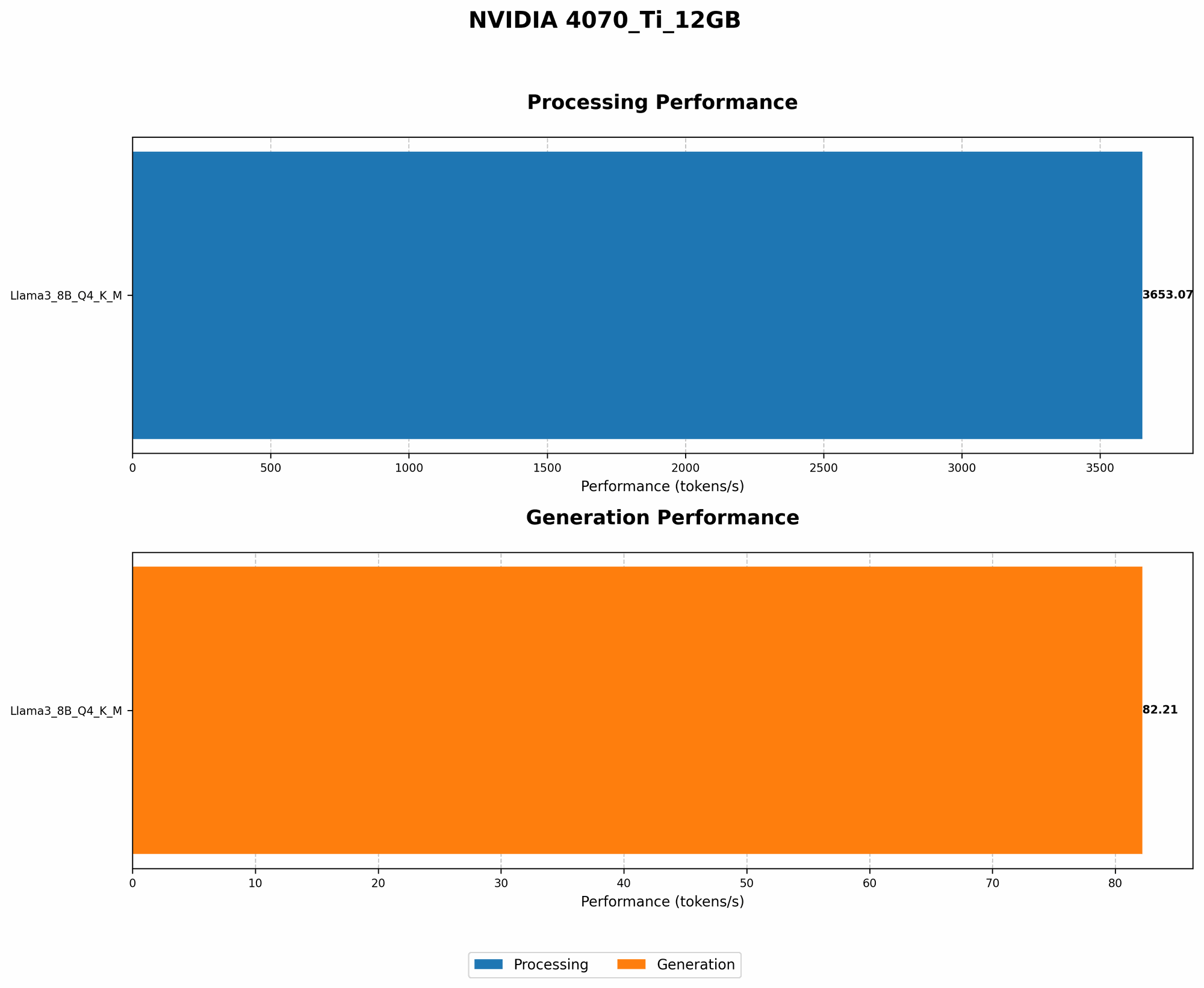
Let's start with the Llama 3 8B model, a popular choice for local execution. The NVIDIA 4070 Ti 12GB can handle this model with ease, especially when it's quantized with Q4KM, meaning it's using 4-bit integers for weights, keys, and values.
| Model | Quantization | Token Speed (tokens/second) |
|---|---|---|
| Llama 3 8B | Q4KM | 82.21 |
| Llama 3 8B | F16 | Data not available |
As you can see, the Q4KM quantization delivers blazing fast token speeds on the 4070 Ti 12GB. Unfortunately, we don't have data for the F16 (16-bit float) quantization. While this might be slightly faster, the Q4KM is often a good balance between speed and accuracy.
What about bigger models like Llama 3 70B? Unfortunately, we don't have data for this model on the 4070 Ti 12GB. It's likely that even with quantization, the 4070 Ti 12GB might struggle to handle a model this large. However, with future optimizations and efficient memory management, it might be possible in the future.
Fine-Tuning: Making your Model a Specialist
Imagine training a dog to fetch a specific object. Fine-tuning an LLM is like that - you're teaching it to become a specialist in a specific domain. Instead of training it from scratch, you take an existing model and train it on your own specific data, like a set of technical documents or a personal diary. This allows the model to become much better at understanding and generating text related to your domain.
The Benefits of Fine-Tuning:
- Improved Accuracy: Your fine-tuned model can generate more relevant and accurate text specific to your domain.
- Tailored Output: The model's output becomes more nuanced and tailored to your specific needs.
- Speed Up Inference: Since you're training on a smaller set of data, the fine-tuning process is generally faster.
Optimizing Batch Size: The Art of Multitasking
Here's an analogy: imagine a restaurant kitchen with one chef. That chef can only cook one dish at a time. Now, imagine having five chefs, each working on a separate batch of dishes. This is the essence of batch size in LLM inference: processing multiple inputs (like individual sentences) in a single operation.
Larger batch sizes, like the five chefs, mean faster inference, but if you have a small GPU like the 4070 Ti 12GB, it's essential to find the sweet spot. Too large a batch and you'll overload the GPU, slowing things down. Too small a batch and you lose the benefits of parallel processing.
Finding the Perfect Batch Size:
- Experimentation is Key: Start with a small batch size and gradually increase it, observing the token speed and memory usage.
- Monitor Performance: Use tools like NVIDIA's
nvtopto keep an eye on GPU utilization to ensure you're not overloading the GPU. - Consider Your Needs: For tasks requiring faster inference, a larger batch size might be beneficial, while for smaller tasks, a smaller batch size could suffice.
Embrace GPU-Specific Libraries: The Power of Choice
Imagine having a toolbox full of specialized tools, each optimized for a specific task. GPU-specific libraries for LLMs work in a similar way, offering significant performance gains. Here are two popular options:
- llama.cpp: This open-source C++ library, often used for running models on the command line, is known for its efficiency and ability to utilize the GPU effectively.
- GPTQ: This library specializes in quantizing models for more efficient inference on GPUs.
Using the correct library for your chosen model and GPU can dramatically impact performance. Each library has its own strengths and weaknesses, so research and compare benchmarks to find the best fit for your needs.
Memory Management: Don't Let Your GPU Get Stuffed
Think of your GPU's memory as a closet. If it's too full, you can't fit anything else in. Similarly, if your LLM model is too large for the GPU's memory, you'll encounter errors. This is where memory management techniques come into play.
Strategies for Efficient Memory Management:
- Model Chunking: Break down the model into smaller pieces, loading only the necessary parts into the GPU's memory at a time.
- Caching: Store frequently used data in the GPU's memory, like a cache in your internet browser, to reduce processing time.
- Minimize Data Transfers: Reduce the amount of data transferred between the CPU and GPU by keeping data on the GPU as much as possible.
FAQ
Common Questions About LLMs and GPUs:
- Q: Can I run Llama 3 70B on a 4070 Ti 12GB locally?
A: While it might be technically possible with future optimization, it's highly unlikely to achieve good performance due to the model's size and complexity.
Q: How important is quantization?
A: Quantization is crucial for maximizing performance on GPUs, especially for larger models. It significantly reduces memory usage and can lead to substantial speed improvements.
Q: What are the best libraries for running LLMs on the 4070 Ti 12GB?
- A:
llama.cppandGPTQare popular choices for their performance and compatibility with different models. Experiment to determine the best fit for your needs.
Keywords
NVIDIA 4070 Ti 12GB, LLMs, Local Inference, Quantization, Q4KM, F16, Llama 3, Memory Management, GPU-Specific Libraries, llama.cpp, GPTQ, Token Speed, Performance Optimization, Fine-Tuning, Batch Size, GPU Utilization, Model Chunking, Caching, GPU Memory,